Superb quality and spec AB-Com PULSe 4K SE. Crazy offer! Only £129! FREE UK DELIVERY! 4K UHD, Enigma 2, Multiboot 4 images & more!...
Superb quality and spec AB-Com PULSe 4K Rev II Twin Satellite tuner only £179! FREE UK DELIVERY! 4K UHD, Enigma 2, SATA HDD facility, Multiboot 4 images & more!...

[VU+ Ultimo] VIX 3.0 - Problems mounting NAS on network

Hi Rich, thanks for your response and as requested:

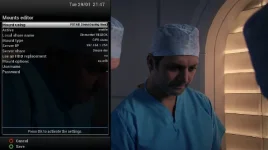
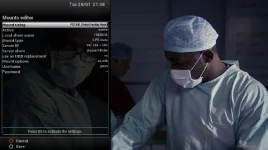
ScreenShot001.webp
ScreenShot002.webp

Hope this helps to investigate

Thanks
 
If it helps at all here is the fstab file
rootfs / auto defaults 1 1
proc /proc proc defaults 0 0
devpts /dev/pts devpts mode=0620,gid=5 0 0
usbdevfs /proc/bus/usb usbdevfs noauto 0 0
tmpfs /var/volatile tmpfs defaults 0 0
usbfs /proc/bus/usb usbfs defaults 0 0
192.168.1.90:/media/hdd /media/net/VUULTIMO nfs _netdev,rw,nolock,proto=tcp,nfsvers=3,rsize=32768,wsize=32768,timeo=14,fg,soft,intr 0 0
//192.168.1.254/Disque/040dur /media/net/FREEBOX cifs username=guest,password=,_netdev,rw,iocharset=utf8 0 0
 
Stop enigma2 before editing the fstab file:

Replace:

//192.168.1.254/Disque/040dur /media/net/FREEBOX cifs username=guest,password=,_netdev,rw,iocharset=utf8 0 0

with

//192.168.1.254/Disque\040dur /media/net/FREEBOX cifs username=guest,password=,_netdev,rw,iocharset=utf8 0 0
 
Rich,
Thanks for your suggestion and apologies for the delay - as you know a quick trial of Airplayer :)

I have changed fstab as you recommended but the mount is still not active.

Strangely on Network Browser I get:

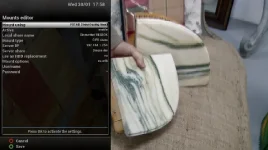
screenshot (1).webp

And on Mount Manager I get:

screenshot (2).webp

Also tried reboot after changes but still no good.

Frustratingly from your excellent response on the other thread on iphone I see the option to stream to Airplayer E2 OR Freebox Server !! :confused:
 
Try this instead:

//192.168.1.254/Disque\ dur /media/net/FREEBOX cifs username=guest,password=,_netdev,rw,iocharset=utf8 0 0

Also make sure you copy and paste to avoid typos :-)
 
Last edited:
I really appreciate your patience with this issue but I amended fstab as suggested but with same result :confused:

Network Browser always defaults to as posted
 
Delete the mount and reboot. Make sure that all traces of the mount has gone.

Add the line sugested to fstab and reboot. What appears in network mounts?
 
Rich, did as suggested and removed mount, deleted from fstab, rebooted, added your line @ #27 to fstab and rebooted again.
Nothing showing in mount management and Networkbrowser is the same:

screenshot.webp
 
Hi, thanks for the input but there are no logs on the NAS.
However the VU is included in the list of connected stations ?
Note that the "Freebox" is a router with NAS

Thanks
 
This issue has taken over my life and as much as I try different mount configurations I still have no result :smash:

Can anyone offer any help ?
 
Rich,
Thanks for your response and I appreciate you sticking with it.

Have spent most of the day trying different configurations and have just had success after reboot but really do not understand how :confused:

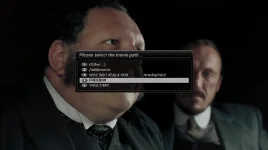
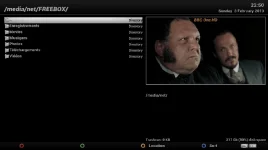
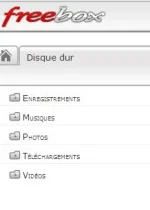
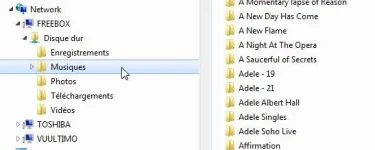
I now have access to the freebox NAS and all subfolders and screenshots in order of sequence as follows that show NO mount BUT:
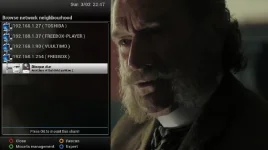
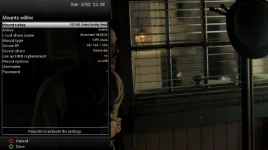
screenshot1.webp

screenshot2.webp

screenshot3.webp

screenshot4.webp

screenshot5.webp

Although NO mount is shown I have access to the freebow when selecting files list => yellow button

I edited fstab as follows:

192.168.1.90:/media/hdd /media/net/VUULTIMO nfs _netdev,rw,nolock,proto=tcp,nfsvers=3,rsize=32768,wsize=32768,timeo=14,fg,soft,intr 0 0
//192.168.1.254/Disque\040dur /media/net/FREEBOX cifs username=guest,password=,_netdev,rw,iocharset=utf8 0 0

My only concern is this a fluk or will the Ultimo retain these settings ?

I have spent too many hours resolving this issue, I sincerely thank you for all your inputs and at the moment well pleased I have a "working" config :sleep:
 

OpenViX Feeds Status

Back
Top