Superb quality and spec AB-Com PULSe 4K SE. Crazy offer! Only £129! FREE UK DELIVERY! 4K UHD, Enigma 2, Multiboot 4 images & more!...
Superb quality and spec AB-Com PULSe 4K Rev II Twin Satellite tuner only £179! FREE UK DELIVERY! 4K UHD, Enigma 2, SATA HDD facility, Multiboot 4 images & more!...

VU+ Duo 2 LCD Display packs

  • Thread starter Thread starter cal91
  • Start date Start date
C

cal91

Guest
Hi Guys,

I've almost got my box fully setup now, I notice that all the picons I try out on my LCD front panel from the plugin section are B&W type PNGs.. are there no coloured ones available? or must I look for these on the forum here and install them manually?

My favourite set so far has been: tv-ocra.shd.transparent-white-nopadding.. these looking great on my epg and in lushes colour.. but the LCD pack is not in colour which to be honest probably looks nicer in B&W anyway as colour might look a bit gimmicky.. but as i'm setting this box up for my dad and he wants to see it in colour lol

Any advice or tips would be greatly appreciated, is it just a matter of access the usb folder via file zilla or something and swaping out the PNGs files for something else? Are there any good packs on the forum here someone can point me to?

Many thanks,
Cal
 
hello mate i cant really help but i am using the same picon set downloaded from the vix feed on my duo2 and they showed up in colour on my lcd screen too without me having to change or set anything.
not sure what you have done differently but it does work im sure someone will be able to show you how.
 
I have other colored picons that are not on the download feeds.For EPG I have the golden nugget's.If you wish I send them in a zipfile.I still use png picons with channel reference.I placed my sets in Root directory.VU+ DUO2 has enough memory for that and is faster on zapping.If you look on internet there are all sorts off picons downloadable.
PS: I just download them and rescale them to 100 X 60 .If necessary I adapt the reference with picon manager (free).
 
Not sure why mine don't show up in colour on LCD then, but if I check them using and FTP from my pc I can see that they aren't in colour in the folder so thats a clear indication.. mine have been presented as B&W PNGs in the pack I downloaded.. I seem to have a good few missing as well like for the movie channels etc.. other than those LCD issues my EPG picons from the same pack are looking really nice, good clear pics and in full colour..

Hey bellejt that would be awesome if you could send them to me, would love to try them out. :)
 
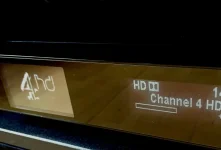
Hi ash888, I removed my picon plugin there and did a fresh install, can you tell me did you save yours to USB or the internal HDD? this is how my looks:

FullSizeRender.webp

I've been trying all sorts of configurations on the LCD, I can live with it but would like to experiment some with coloured picons if I can.
 
Last edited by a moderator:
yeah i really didnt do anything especially for it to work, i just downloaded the same picons from the plugin feed on the box, it saves onto the flash, i dont use a usb. once downloaded im not sure if the box needed a reboot but it worked for me right away in colour on the lcd screen.

i also have the default display setting on the lcd i see that you have changed yours to show just the channel picon. try the default option (the very first on the list) and see if that shows in colour.
 
Please note the following
Thread will be moved to the ViX-Team-Images-Support-Discussion section. It is best to use the image support section for image issues as problems/solutions are usually the same irrespectve of receiver. It also helps others searching for the same issue although they may have another receiver.

Please read the thread in link below which explains things better.

http://www.world-of-satellite.com/showthread.php?33155-ALL-MEMBERS-PLEASE-READ!-New-method-of-posting-in-ViX-Support-Section!

No harm has been. Please bear in mind for future support questions.
 

OpenViX Feeds Status

Back
Top