Superb quality and spec AB-Com PULSe 4K SE. Crazy offer! Only £99! FREE UK DELIVERY! 4K UHD, Enigma 2, Multiboot 4 images & more!...
Superb quality and spec AB-Com PULSe 4K Rev II Twin Satellite tuner only £149! FREE UK DELIVERY! 4K UHD, Enigma 2, SATA HDD facility, Multiboot 4 images & more!...

[ViX_Misc] New VideoMode

andyblac

Administrator ,
Joined
Apr 21, 2010
Messages
12,698
Reaction score
96
Points
0
Age
52
For those of you having issue's with your TV not showing a picture or getting error message from your TV:

1- first please do not use 'MULTI'; try lock it to 50Hz, in all previous images (prior to build 760) and other images, multi has NEVER worked. it was always lock to 50Hz.

2- and do not use the new Auto Resolution feature.


If you're still having issues please post them here and the Dev team will try to help.
 
Last edited by a moderator:
What does Multi do? I have not had an issue with it, but my screen(s) can do both 50 and 60Hz
 
Hello Andy,

I have had problems.

I started a thread and Judge, Phoenix, Rob have tried to help.

Do you still need me to post the issues here?

Thank you.
 
Hello Andy,

I have had problems.

I started a thread and Judge, Phoenix, Rob have tried to help.

Do you still need me to post the issues here?

Thank you.

yes as it keeps all related problems in the same thread.
 
exactly that auto switches between 50 and 60 Hz.
Why or when might 50 or 60 Hz be used?

Does the receiver expect some sort of response from the screen to say that whatever refresh rate it is using is OK or not?
 
Hi,
in europe normally only 50 Hz is used. But in this global times with IPTV and VOD you can easily get videos from the US or Japan which are 60Hz. Some DVDs or BRs may also contain material with 60Hz.

Most modern European TV sets can handle both but still not all.

If the material is 60 Hz it should be played with this frequency because only this way you get the smoothest video.

ciao
 
Guys, I'm on build 773 and having problems my picture. I cant seem to find any A/V setting combination that will work for both HD and SD. For SD that works the settings are

Video Output: HDMI
AR: Disabled
Display: Just scale (both 4:3 and 16:9)

For HD channels I get a picture that is surrounded by a border of garbled video including pieces of the infobar. Sorry the Open Webif is not letting grab a screenshot at the moment to attach.

I use to have the Multi option which worked but thats gone since the latest build.
 
As you don't see the option 'Multi' it looks like you never flashed your box with any image of 760 or above.
Please do so (make a settings backup and use that for restoring) and set up your A/V-settings again when the box is up & running.
 
some users had issues using restore, so try without restoring ANYTHING, after fresh flash.
 
Guys, I'm on build 773 and having problems my picture. I cant seem to find any A/V setting combination that will work for both HD and SD. For SD that works the settings are

Video Output: HDMI
AR: Disabled
Display: Just scale (both 4:3 and 16:9)

For HD channels I get a picture that is surrounded by a border of garbled video including pieces of the infobar. Sorry the Open Webif is not letting grab a screenshot at the moment to attach.

I use to have the Multi option which worked but thats gone since the latest build.


I have the same issue. I have reflash without any vix backup.

Video Output: HDMI
AR: Disabled
Display: Just scale (both 4:3 and 16:9)

When I watch HD Channels like movies the screen does not scale. I get a black boarder at the stop and bottom. I have a 50inc TV. I dont know if come HD channels just displace like that
 
I have the same issue. I have reflash without any vix backup.

Video Output: HDMI
AR: Disabled
Display: Just scale (both 4:3 and 16:9)

When I watch HD Channels like movies the screen does not scale. I get a black boarder at the stop and bottom. I have a 50inc TV. I dont know if come HD channels just displace like that


some TV providers send the black bars in the stream, nothing we can do about that.
 
As you don't see the option 'Multi' it looks like you never flashed your box with any image of 760 or above.
Please do so (make a settings backup and use that for restoring) and set up your A/V-settings again when the box is up & running.

I use to see the Multi option before the 773 build but after doing online update to 773 the Multi option is gone.
 
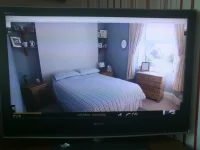
DSC_0042.webpHi andyblac, I dont believe these are black bars in the stream. Its like m1nz said the picture doesnt scale. For me its a border of garbled video. I've attached a photo of tv screen.
 
Hi im using latest vix image on gigablue quad build 774..When i go to to change the 'display content 4:3 from pillarbox to just scale it crashes the box..It happened on a previous version too, i'm using my novum skin but have also tried it on the default skin and is still the same..Video outout is set to HDMI and mode is set to 720p although i have tried it on 1080 too
Have attached the crash log
 

Attachments

Hello All,

Can I put my two pennyworth in please?

I had issues flashing my uno. Looking at the info the unit was telling me that I was running the latest image and build but I don't believe that my unit had "fully" flashed.

I would advise using a USB flash as I had to, to fully flash the unit. This resolved all my A/V and resolution issues.

I apologise for stepping on the Admins toes here but hope this helps someone.
 
Hi all,

Just performed a full flash using 773. I can confirm all is working fine now. During initial config I selected HDMI, 1080i resolution and 50Mhz refresh.

Sanjhere thanks for your suggestion. Rob thanks for your suggestion and apologies for not following your instruction, I thought an online update to a build of 760 or above would be the same as a flash of 773....
 

OpenViX Feeds Status

Back
Top