
Superb quality and spec AB-Com PULSe 4K SE. Crazy offer! Only £99! FREE UK DELIVERY! 4K UHD, Enigma 2, Multiboot 4 images & more!...
Superb quality and spec AB-Com PULSe 4K Rev II Twin Satellite tuner only £149! FREE UK DELIVERY! 4K UHD, Enigma 2, SATA HDD facility, Multiboot 4 images & more!...
You are using an out of date browser. It may not display this or other websites correctly.
You should upgrade or use an alternative browser.
You should upgrade or use an alternative browser.
[ViX_Misc] New VideoMode
- Thread starter andyblac
- Start date

J
JonathanNC
Guest
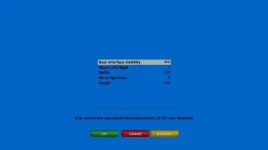
Thanks everyone - setting the OSD to 'defaults' seems to have resolved
Cheers
Jonathan
Cheers
Jonathan
F
foz
Guest
did you reflash with NO restore ?, if not please try re-flashing 775
reflashed the solo2 receiver tonight 775 and set it up as new receiver with no restore settings but the problem is still the same, no rf to split from scart
i will do some more testing tomorrow, not even getting audio coming through
(when the settings have been wrong in the past it still sent audio through from memory)
thanks for any input
foz

andyblac
Administrator ,
- Joined
- Apr 21, 2010
- Messages
- 12,698
- Reaction score
- 96
- Points
- 0
- Age
- 52
Just changed the setting
'Show SD as' to '1080i'
And my tv is giving a resolution change but going back to 1080
When I go from a HD channel to a SD channel the screen goes blank as if it's going to change resolution but comes back on to 1080.
When I go from SD shown in 1080 to a HD channel the tv doesn't try to change resolution witch is great
Sent from my GT-N7100 using Tapatalk 2
try increasing the 'Delay time' this will allow more time before checking the resolution.
D
davewhitaker
Guest
I went to do as you've said this morning but it seems to of fixed itself :thumbsup:
Dont know if its to do with having the tv switch off because I tryed resetting the box last night and it's only been on standby overnight.
Thanx for your help
Dont know if its to do with having the tv switch off because I tryed resetting the box last night and it's only been on standby overnight.
Thanx for your help

Rob van der Does
ViX Beta Tester
What are your scart-settings in AV-settings?reflashed the solo2 receiver tonight 775 and set it up as new receiver with no restore settings but the problem is still the same, no rf to split from scart
i will do some more testing tomorrow, not even getting audio coming through
(when the settings have been wrong in the past it still sent audio through from memory)
thanks for any input
S
solosdk
Guest
Ok ill dothe full flash
F
foz
Guest
What are your scart-settings in AV-settings?
Rob I've sorted it, it turns out it was the splitter.
i pluged in a dm800 to test and that was not pumping anything around either
purchased another splitter yesterday and all working again now
just coincidental it happened to stop working around the time Vix changed the av settings within image
very sorry but fixed now
thanks for your advice trying to help me
foz
Ive reverted back to an image prior to this being force installed and disabled updates
Even disabled every time i change channel it changes tv resolution, annoying to say the least
can we not have this so we can remove it?
Even disabled every time i change channel it changes tv resolution, annoying to say the least
can we not have this so we can remove it?
Ive reverted back to an image prior to this being force installed and disabled updates
Even disabled every time i change channel it changes tv resolution, annoying to say the least
can we not have this so we can remove it?
Sounds like you just need to do a fresh flash of newest image availble on http://openvix.co.uk
Set-up from scratch if you have to.
Sounds like you just need to do a fresh flash of newest image availble on http://openvix.co.uk
Set-up from scratch if you have to.
Already have thats why im reverting back, reflashing with an older image
Already have thats why im reverting back, reflashing with an older image
which doesn't help anyone sort out your issue...
Rob van der Does
ViX Beta Tester
Going back to the stone-age won't help you.Ive reverted back to an image prior to this being force installed and disabled updates
Even disabled every time i change channel it changes tv resolution, annoying to say the least
can we not have this so we can remove it?
Please open a thread and report your issue if you have any, and we do our best to help. There are no more known issues in this area, so you really must report.
Trial
Moderator
Hi,
Does your TV show you that a new resolution is active or is only the aspect ratio different? My Samsung TVs inform me with a little box in the top left that a new resolution is chosen but I do not get any message if only Aspect/Ratio is changed.
ciao
then there must be something wrong with your settings or your image. I have latest image (#782 or 3) and disabled auto resolution and there is no resolution change what soever.Even disabled every time i change channel it changes tv resolution, annoying to say the least
Does your TV show you that a new resolution is active or is only the aspect ratio different? My Samsung TVs inform me with a little box in the top left that a new resolution is chosen but I do not get any message if only Aspect/Ratio is changed.
ciao
Last edited:
I'm using Vu+ Duo2 with 3.0.778 (and online updates) and Multi setting just doesn't work. I have set 1080i hdmi-output with multi and I watch 720p 30Hz .mkv file (i.e. some US TV-series rip) and output remains in 50Hz. But if I use latest OpenAtv image, multi works correctly and output switches to 60Hz.
Another problem is with the integrated autoresolution: again same 720p file playback situation and now autoresolution settings set so that hdmi output changes to 720p 60Hz. All is well but when I press stop and normal TV source returns in 1080i, screen edges have weird OSD graphics remains or texts. There seems to be no way to clear those other than enigma restart.
Any tips how to fix these?
Another problem is with the integrated autoresolution: again same 720p file playback situation and now autoresolution settings set so that hdmi output changes to 720p 60Hz. All is well but when I press stop and normal TV source returns in 1080i, screen edges have weird OSD graphics remains or texts. There seems to be no way to clear those other than enigma restart.
Any tips how to fix these?
andyblac
Administrator ,
- Joined
- Apr 21, 2010
- Messages
- 12,698
- Reaction score
- 96
- Points
- 0
- Age
- 52
I'm using Vu+ Duo2 with 3.0.778 (and online updates) and Multi setting just doesn't work. I have set 1080i hdmi-output with multi and I watch 720p 30Hz .mkv file (i.e. some US TV-series rip) and output remains in 50Hz. But if I use latest OpenAtv image, multi works correctly and output switches to 60Hz.
Another problem is with the integrated autoresolution: again same 720p file playback situation and now autoresolution settings set so that hdmi output changes to 720p 60Hz. All is well but when I press stop and normal TV source returns in 1080i, screen edges have weird OSD graphics remains or texts. There seems to be no way to clear those other than enigma restart.
Any tips how to fix these?
without logs i can't help. an for your info OpenATV uses my code.

without logs i can't help. an for your info OpenATV uses my code.
I have heard that Openatv uses Vix code and that makes this even more confusing. How do I make a log of this? Init5 and start enigma2 or some other way?
Trial
Moderator
Hi,
what resolution has the file?
to the weird graphics after switching back to 1080i did you use OSD position to make the GUI smaller? If yes then try to open teletext and close it again and the weird graphic should be gone. If this ist the case disable overscan on your TV and set the OSD position to maximum (0,0,720,576).
To generate logs enable debug log, restart box, play some of your files and especially the mentioned 720p file and then send the logfile from /hdd/logs starting with enigma2... after that you can disable debug log again.
ciao
what resolution has the file?
to the weird graphics after switching back to 1080i did you use OSD position to make the GUI smaller? If yes then try to open teletext and close it again and the weird graphic should be gone. If this ist the case disable overscan on your TV and set the OSD position to maximum (0,0,720,576).
To generate logs enable debug log, restart box, play some of your files and especially the mentioned 720p file and then send the logfile from /hdd/logs starting with enigma2... after that you can disable debug log again.
ciao
Similar threads
B
[GiGaBlue QUAD]
Gigablue update - will not update new image, still stuck on 23!!
- booth691
- ViX Team Images Support Discussion
- Replies
- 4
- Views
- 2K

D
[VU+ Solo SE]
ABM cable Timeout for tuner lock
- davidmorris27
- ViX Team Images Support Discussion
- Replies
- 2
- Views
- 2K
