K
keratos
Guest
So, trying to mount a SMB/CIFS share
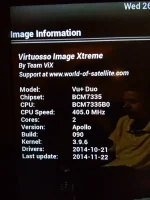
Cannot mount a share on VU+ Duo running OpenVix appolo 088
smb service is installed, and running.
I can go into Setup->System->Network->Mounts Setup->Network Browser and I can select the server and see the share, correctly tagged CIFS. So i set the user name and password and select FSTAB as mount type. The "green tick" doesnt appear on the share, just the red cross. Not mounted. Bugger!
So, first off, to see if I can mount the share an another box, using my laptop with netrunner installed, I open Dolphin file browser and select Network then Samba shares and I can see the server so I select it then I see the share , select it, username and password dialog popup appears; I enter credentials, logged and and can see and copy files. So, the server is ok. Must be the VU+/Open Vix
So i telnet into the VU+ box and at the command I examine /etc/fstab to see what OpenVix has put into the mount line, here it is:
/192.168.2.1/MOVIE-downloads /media/net/MOVIE cifs user=daz,pass=abc,_netdev,rw,iocharset=utf8 0 0
So at the command line I try
# mount.cifs //192.168.2.1/MOVIE-downloads /media/net/movies -o user=daz,passwd=abc
and I get the error:-
mount error(13): Permission denied
Refer to the mount.cifs(8) manual page (e.g.man mount.cifs)
password is wrong?? doubt it, I used the same credentials on my netrunner box and it was fine
I went to the samba server and allowed the share to be hosted without password needed; still same result on OpenVix
???
WTF ?
Cannot mount a share on VU+ Duo running OpenVix appolo 088
smb service is installed, and running.
I can go into Setup->System->Network->Mounts Setup->Network Browser and I can select the server and see the share, correctly tagged CIFS. So i set the user name and password and select FSTAB as mount type. The "green tick" doesnt appear on the share, just the red cross. Not mounted. Bugger!
So, first off, to see if I can mount the share an another box, using my laptop with netrunner installed, I open Dolphin file browser and select Network then Samba shares and I can see the server so I select it then I see the share , select it, username and password dialog popup appears; I enter credentials, logged and and can see and copy files. So, the server is ok. Must be the VU+/Open Vix
So i telnet into the VU+ box and at the command I examine /etc/fstab to see what OpenVix has put into the mount line, here it is:
/192.168.2.1/MOVIE-downloads /media/net/MOVIE cifs user=daz,pass=abc,_netdev,rw,iocharset=utf8 0 0
So at the command line I try
# mount.cifs //192.168.2.1/MOVIE-downloads /media/net/movies -o user=daz,passwd=abc
and I get the error:-
mount error(13): Permission denied
Refer to the mount.cifs(8) manual page (e.g.man mount.cifs)
password is wrong?? doubt it, I used the same credentials on my netrunner box and it was fine
I went to the samba server and allowed the share to be hosted without password needed; still same result on OpenVix
???
WTF ?