pproductions
New member
- Joined
- Mar 19, 2016
- Messages
- 18
- Reaction score
- 0
- Points
- 0
Hi,.
I'm having trouble with my Solo2 not booting up at all. It's stuck on Starting with a noisy screen.
I posted this elsewhere but since this forum has a bigger following, decided to try my luck in solving this issue.
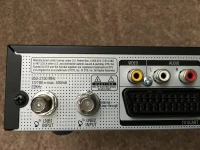
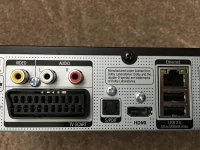
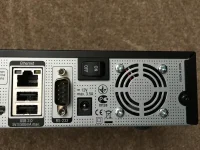
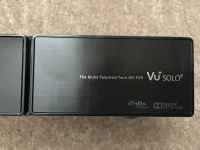
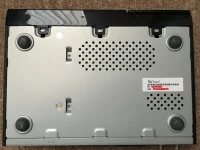
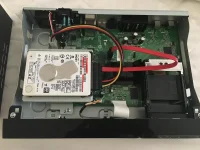
I ordered a box off eBay (from a different supplier, geniune box to my knowledge, no other stickers other than a serial barcode + mac address underneath) and it was already loaded with some kind of image. It came with a 750GB HDD installed.
I didn't bother checking what image was loaded but the boot logo had Vu+ Your Smart Linux TV Player on it.
After running through the wizard and setting it up, I decided to flash it with the latest version of OpenViX.
Here's what I did:
1) Formatted my 64GB SanDisk Ultra Fit USB to FAT32 using the HP Format Tool. (Now I don't know if it's this stick.. please keep reading).
2) Downloaded the openvix-3.2.037.release-vusolo2_usb.zip and put the extracted "vuplus" folder onto the USB.
2) All cables were connected if that helps diagnose the problem (HDMI, Ethernet, LNB in and power).
3) Box was turned off as advised from the rocker switch.
4) Put USB into front panel, turned rocker switch to ON and the box started doing the following:
5) Pressed the Power touch button on the box and it did the following:
Then I see this...
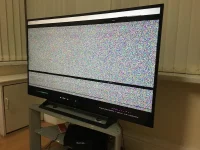
Now the box boots up and is stuck on the message "Starting..."
My guess is that my USB drive was large in capacity so the box didn't bother completing the update? I tried to format my USB from Windows a couple of times and the box wouldn't detect the USB.
So went back to using the HP Format Tool and tried again with no luck. Steps 4 and 5 still happen.
I've ordered a new 8GB Cruzer Blade USB which I read was a tested stick. Until that comes later today, I thought I'd ask the question in case someone else has this problem in the future.
Is this box dead now or will a reflash do with the right USB?
I'm having trouble with my Solo2 not booting up at all. It's stuck on Starting with a noisy screen.
I posted this elsewhere but since this forum has a bigger following, decided to try my luck in solving this issue.
I ordered a box off eBay (from a different supplier, geniune box to my knowledge, no other stickers other than a serial barcode + mac address underneath) and it was already loaded with some kind of image. It came with a 750GB HDD installed.
I didn't bother checking what image was loaded but the boot logo had Vu+ Your Smart Linux TV Player on it.
After running through the wizard and setting it up, I decided to flash it with the latest version of OpenViX.
Here's what I did:
1) Formatted my 64GB SanDisk Ultra Fit USB to FAT32 using the HP Format Tool. (Now I don't know if it's this stick.. please keep reading).
2) Downloaded the openvix-3.2.037.release-vusolo2_usb.zip and put the extracted "vuplus" folder onto the USB.
2) All cables were connected if that helps diagnose the problem (HDMI, Ethernet, LNB in and power).
3) Box was turned off as advised from the rocker switch.
4) Put USB into front panel, turned rocker switch to ON and the box started doing the following:
- Update!
- Press Power
- Update!
- Press Power
5) Pressed the Power touch button on the box and it did the following:
- Reading USB...
- Erasing...
- Reading USB...
- Erasing...
- Reading USB...
- Erasing...
- Continuing...
- Flashing...
- Starting...
Then I see this...
Now the box boots up and is stuck on the message "Starting..."
My guess is that my USB drive was large in capacity so the box didn't bother completing the update? I tried to format my USB from Windows a couple of times and the box wouldn't detect the USB.
So went back to using the HP Format Tool and tried again with no luck. Steps 4 and 5 still happen.
I've ordered a new 8GB Cruzer Blade USB which I read was a tested stick. Until that comes later today, I thought I'd ask the question in case someone else has this problem in the future.
Is this box dead now or will a reflash do with the right USB?
Last edited: