yorkshirepudding
New member
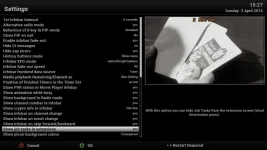
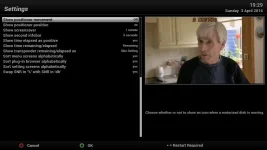
I've been hunting through the settings trying to work out how to fix this. I'm used to a Topfield and trying to get a similar effect as it worked well.
On channel change the following infobar (1) appears:
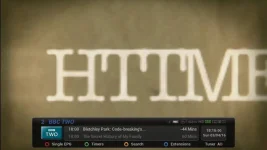
However, once watching an event, if I click Info I get this (2) infobar:
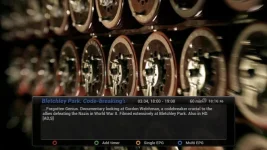
What I would like to be able to do is on first info button press see infobar 1, then on second press (or could be long press) I get infobar 2.
Is there anyway to do this? I have looked in UserInterface > Button Setup and System>EPG settings but nothing seems to allow me to set this.
Thanks
On channel change the following infobar (1) appears:
However, once watching an event, if I click Info I get this (2) infobar:
What I would like to be able to do is on first info button press see infobar 1, then on second press (or could be long press) I get infobar 2.
Is there anyway to do this? I have looked in UserInterface > Button Setup and System>EPG settings but nothing seems to allow me to set this.
Thanks