Superb quality and spec AB-Com PULSe 4K SE. Crazy offer! Only £99! FREE UK DELIVERY! 4K UHD, Enigma 2, Multiboot 4 images & more!...
Superb quality and spec AB-Com PULSe 4K Rev II Twin Satellite tuner only £149! FREE UK DELIVERY! 4K UHD, Enigma 2, SATA HDD facility, Multiboot 4 images & more!...

[GiGaBlue UHD UE 4K] Load ViX image to a particular multiboot slot?

goldnet

Member
Joined
Jan 3, 2011
Messages
75
Reaction score
0
Points
6
What type of support thread are you creating?
Support question
What OpenViX Image build number are you using?
Latest (6.8?)
Have you tried re-flashing WITHOUT settings restore?
NO
Have you tried re-flashing WITH a settings restore?
NO
My box is working with a Teamblue image, which I've kept up to date. I had previous OpenVix images which got corrupted and just kept rebooting the box. I've not touched these for some years!

I would like to load new OpenVix images but obviously I don't want any to overwrite the good working TeamBlue slot in the multiboot!

Is there a way to do this, specifying which slot the image gets installed to? In olden times, I remember copying an image to a USB stick and rebooting the box in a way it read the stick (long on/off press?).

Wouldn't it be easier to use FTP or copy directly from my laptop to the box (I'm on Mac and can read the box's disc directly in File Manager)?

Many thanks
 
My box is working with a Teamblue image, which I've kept up to date. I had previous OpenVix images which got corrupted and just kept rebooting the box. I've not touched these for some years!

I would like to load new OpenVix images but obviously I don't want any to overwrite the good working TeamBlue slot in the multiboot!

Is there a way to do this, specifying which slot the image gets installed to? In olden times, I remember copying an image to a USB stick and rebooting the box in a way it read the stick (long on/off press?).

Wouldn't it be easier to use FTP or copy directly from my laptop to the box (I'm on Mac and can read the box's disc directly in File Manager)?

Many thanks
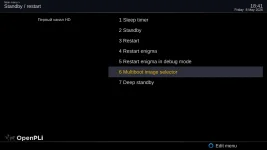
use (I think) flashimage to select an image and slot and online flash…..simple!
you might have to download an image from here and then copy over to the hdd, as I cannot rememberif they have a download for other images


google says….
Download the Image: Download the latest TeamBlue image intended for your specific receiver model.
Locate Image Manager: Go to your current Enigma2 menu, usually under Menu > Setup > Software Management > Flash Image or Multiboot Manager.
Select Slot: Choose the slot where you want to install the new image (e.g., Slot 2, Slot 3).
Flash: Select the image file, and confirm the flash process. The box will flash the image and typically reboot into the newly selected slot.
 
Last edited:
Thank you - what is “flashimage” and where do I find it? Does it run on the box or on my Mac? Or is this simply the term for the process you describe - using the boot/image manager within Setup?

Yes, I recall Image Manager on the box presents options to load images into particular slots.

My query also relates to the slightly earlier part of the process as to where I put the image to be selected for flashing into that chosen slot. Does it have to be in a specific location on the root drive of the box?

Apologies, when I last did this when I bought and set up the box, it became familiar to me. Now, after a hiatus of a few years, it seems harder to re-learn!

I don’t need a TeamBlue image - that’s what I run at the moment and I can update through the system menu. It’s Openvix I wish to install alongside it as an alternative.
 
Thank you - what is “flashimage” and where do I find it? Does it run on the box or on my Mac? Or is this simply the term for the process you describe - using the boot/image manager within Setup?

Yes, I recall Image Manager on the box presents options to load images into particular slots.

My query also relates to the slightly earlier part of the process as to where I put the image to be selected for flashing into that chosen slot. Does it have to be in a specific location on the root drive of the box?

Apologies, when I last did this when I bought and set up the box, it became familiar to me. Now, after a hiatus of a few years, it seems harder to re-learn!

I don’t need a TeamBlue image - that’s what I run at the moment and I can update through the system menu. It’s Openvix I wish to install alongside it as an alternative.
Just follow the google bit ——-> Menu > Setup > Software Management > Flash Image or Multiboot Manager.
if you copy the image to your hdd it should find it, then just follow the Q,s.
Try it and if you cannot get there will load teamblue imge tomorrow so I can tell you exactly.
 
Thank you. I'll give it some time over the weekend and report back!
 
so TeamBlue...
download OpenViX image from OpenViX Images link above (Teamblue doesn,t support OpenViX in other downloads) and copy to your HDD
Menu/System/Flash Image
Select Download Images ---> hopefully their code should find the OpenViX image - its supposed to be based on OpenPli so should.
Then select image in list and press Flash Image button (Green)
Select the slot in list, hit Normal Start and it should flash and reboot.
Use the wizard to setup on OpenViX
 
Once I'd found the right folder to drop the OpenVix image into (/media/hdd/backup) it duly appeared in the list of downloaded images and loaded correctly into my selected boot slot. Asked on reboot if I wanted to load a settings backup, which I did from the last one I made when last on OpenVix and all seems well. I now need to make an export/import of my current channel list from TeamBlue and resolve not displaying the current programme alongside the channel name whn displaying the channel list in bouquets bu otherwise all seems good. Thanks for your help.
 
I would be very grateful if someone explained to me why, when I switch from the OpenPli Scarthgap image to the OpenViX image via multiboot, there is always a question. Do you really want to switch to the OpenViX image, but when I switch from the OpenViX image to the OpenPli Scarthgap image, does not have such a question? I think this needs to be fixed. Because if the user accidentally presses the OK button, the image will immediately switch...I'm attaching a screenshot of switching from the OpenPli Scarthgap image to the OpenViX image via multiboot...I think I'm not the only one with this problem or there's something wrong with my settings? I would be very grateful to the OpenViX developers for an answer
 

Attachments

  • 333.webp
    333.webp
    20.5 KB · Views: 15
  • 334.webp
    334.webp
    8.4 KB · Views: 11
Last edited:
@2stein ,This needs to be changed in the OpenViX image, but not in the OpenPli image, take a closer look at my post...Because the OpenViX image doesn't have a second confirmation that you want to switch to another image
 
Last edited:
ah, i misunderstood. but why would you want this question. you select this function because you want to switch the image. so why ask for confirmation?
 
In the end, you asked a very correct question. My answer is that the user can accidentally press the OK button, and then there will be a reboot to a different image. So, to prevent this from happening, you need to repeat the request. Do you really want to reboot to a different image?
 
I would be very grateful if someone explained to me why, when I switch from the OpenPli Scarthgap image to the OpenViX image via multiboot, there is always a question. Do you really want to switch to the OpenViX image, but when I switch from the OpenViX image to the OpenPli Scarthgap image, does not have such a question? I think this needs to be fixed. Because if the user accidentally presses the OK button, the image will immediately switch...I'm attaching a screenshot of switching from the OpenPli Scarthgap image to the OpenViX image via multiboot...I think I'm not the only one with this problem or there's something wrong with my settings? I would be very grateful to the OpenViX developers for an answer
"Are you sure" messages are used when there is a change that may cause irreversible loss or catastrophe. Or in unexpected negative situations, e.g. "are you sure you don't want to save the changes", not "are you sure you want to save the changes". It is a balance between bothering the majority of users with an annoying popup message for the sake of someone that is not paying attention to what they are doing. Maybe if we fined them 1000€ for every incorrect button press they would soon start paying a lot more attention.
 
Excuse me, but I don't understand your question at all. What is it about? or multiboot or what need to fix it on OpenViX image? Maybe you could write in simple human language what you mean?
 
Excuse me, but I don't understand your question at all. What is it about? or multiboot or what need to fix it on OpenViX image? Maybe you could write in simple human language what you mean?
It is not a question. It is an explanation. It explains when an "are you sure" message is required.
 
It is not a question. It is an explanation. It explains when an "are you sure
Then if possible, could you clearly explain to me what I wrote wrong about multiboot or did you not like my question and that something needs to be corrected in the OpenViX image? In simple human language, explain what is wrong with my question about multiboot? Or you just don't want to fix this in your OpenViX image? If so yes, then there are no more questions
 
Last edited:
"Are you sure" messages are used when there is a change that may cause irreversible loss or catastrophe. Or in unexpected negative situations, e.g. "are you sure you don't want to save the changes", not "are you sure you want to save the changes". It is a balance between bothering the majority of users with an annoying popup message for the sake of someone that is not paying attention to what they are doing. Maybe if we fined them 1000€ for every incorrect button press they would soon start paying a lot more attention.
I think he has a point

This could be said with flashing a slot via vix image manager didn't ask if you wanted to boot to the slot you flashed. Now it does.
 
You are not "flashing a slot", you are selecting a different slot. If you boot into a wrong slot (because you weren't paying attention to what you were doing) that is a reversible condition. Just enter multiboot and select the correct slot.
 
I think he has a point

This could be said with flashing a slot via vix image manager didn't ask if you wanted to boot to the slot you flashed. Now it does.
That is a different case. It is two operations in one, so there is verification for the second operation.
 

OpenViX Feeds Status

Back
Top