Superb quality and spec AB-Com PULSe 4K SE. Crazy offer! Only £129! FREE UK DELIVERY! 4K UHD, Enigma 2, Multiboot 4 images & more!...
Superb quality and spec AB-Com PULSe 4K Rev II Twin Satellite tuner only £179! FREE UK DELIVERY! 4K UHD, Enigma 2, SATA HDD facility, Multiboot 4 images & more!...

Attempt to upgrade to lastest version of openvix from 2015 build has bricked my box

speedfox

New member
Joined
Oct 22, 2024
Messages
3
Reaction score
0
Points
0
I purchased this satellite box from eBay last year. It was working fine, but the software has not been updated since 2015. I tried running "opkg update && opkg upgrade" from the terminal, but the URLs it was trying to pull the updates from were no longer valid (they were giving back 404 when I tried them in a web browser). So, I tried updating the URLs in the files in /etc/opkg/ to opens that seemed to be more up to date. Ran "opkg update" followed by "opkg upgrade" again. This seemed to get the packages from the URLs but there were a lot of errors. Then my connection dropped, and I tried to ssh back in but I was unable to because it now required a password. I tired restarting the box, but now it's stuck with the LCD saying "double you expectation", no video output, not appearing in my network and nothing on the smaller screen on the box.

Log file from upgrade and that shows the versions of the software I had installed before attempting this attached below.
openvix.webp

View attachment openvix.upgrade.log

Any help in getting up and running again is much apricated.
 
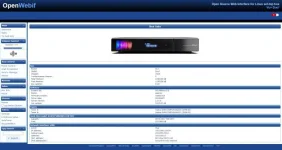
Just realised my screenshot of the software information has been compressed, so I'll just copy and paste in the info from that screenshot here

Box
Brand: Vu+
Model: Duo²
Chipset: 7424
Frontprocessor Version: 0
Total Memory: 1240104 kB
Free Memory: 1150256 kB
Box Uptime: 0:00
Software
System OE: OE-Alliance 3.0
Distro: openvix
Firmware version: Hades.018
Driver date: 20150623
Kernel version: 3.13.5
Gui version: 2015-07-09
Tuners
Tuner A: Vuplus DVB-S NIM(AVL6222) (DVB-S2)
Tuner B: Vuplus DVB-S NIM(AVL6222) (DVB-S2)
Hard disk model: ATA(ST500LM012 HN-M5)
Capacity: 465.8 GB ("500 GB")
Free: 372.996 GB
Network Interface: eth0
DHCP: True
IP address: 192.168.0.20/24
Subnet mask: 255.255.255.0
Gateway: 192.168.0.1
MAC address: 00:1d:ec:08:51:9d
IPv6 address(es): none/IPv4-only network

This is all from before I started messing with it.
 
Flash it with the latest image using USB and it should spring back to life.
 
Does the flashing process remove the videos I have recorded on there?
 
no if you do not initialaise HDD.Just do a flash usb
 
ViX is versioned. You are not supposed to upgrade from a different version. Doing so will be the cause of your problem. Just USB flash and all should be fixed.
 
I purchased this satellite box from eBay last year. It was working fine, but the software has not been updated since 2015. I tried running "opkg update && opkg upgrade" from the terminal, but the URLs it was trying to pull the updates from were no longer valid (they were giving back 404 when I tried them in a web browser). So, I tried updating the URLs in the files in /etc/opkg/ to opens that seemed to be more up to date. Ran "opkg update" followed by "opkg upgrade" again. This seemed to get the packages from the URLs but there were a lot of errors. Then my connection dropped, and I tried to ssh back in but I was unable to because it now required a password. I tired restarting the box, but now it's stuck with the LCD saying "double you expectation", no video output, not appearing in my network and nothing on the smaller screen on the box.

Log file from upgrade and that shows the versions of the software I had installed before attempting this attached below.

View attachment 66968

View attachment 66969

Any help in getting up and running again is much apricated.

It's hard to brick a box.

Flash via USB

Flashing guide for your box
https://www.openvix.co.uk/index.php...r-usb-flashing-guides/vu-usb-flashing-guides/

Lastest VIX image for the upgrade
https://www.openvix.co.uk/index.php/downloads/vu-plus-images/

basically put the unziped upgrade on a USB stick, turn the box off at the mains, remove all USB devices except the stick with the upgrade, switch the box back on (following info in the flashing instructions)


Once you have a working image on your box
Image backup menu/setup/vix/image manager/press green for a new backup. While in that screen press the menu button again to get the configuration options
Settings backup menu/setup/vix/backup manager/press green for a new backup. While in that screen press the menu button again to get the configuration options

Again, once you have the new image on the box future image upgrades can be achieved in 3 ways.

Method 1
menu/setup/system/software upgrade (this should/cannot be used for major upgrades so alternatively use methods 2 and 3)

Method 2
menu/setup/system/vix/image manager : press yellow to download the upgrade image : press blue to flash the image. After the box automatically reboots you will be offered a wizard to restore settings and plugins (from a previous settings backup). The settings backup will usually be configured for a HDD or USB stick on the box (a user configuration)

Method 3
USB upgrade from a download to your PC.
 
Last edited:
Wow Hades Image back in the days of my Vu Duo first model.

Are you 100% sure you have a Duo2?
 
:confused::confused:

Look at post 2 he copied the screenshot from webif!:D
 
Hi,
if it is really the Duo2 it is still supported by the latest OpenViX versions. I still have this goodie in my 2nd living room running.

Creator = OpenViX
Version = 6.6
Build = 007
Dev = 022
Type = developer
Machine = vuduo2
URL = http://www.world-of-satellite.com
distro=openvix
compile-date=20241014
compile-datetime=20241014023314

Ralf
 
If you read the OP's original post you will see that he forced updates and upgrades manually through modifying URLs used by opkg and got himself in a mess. Clean USB flash was always the correct course of action.
 
I read it but could not understand it. If there is a current image with active feeds I cannot understand messing around with the opkg sources. If I update I try to find most up to date programs/images.

It might also be that the old image uses an old Python and not many current plugins will work with that.

Ralf
 
I think maybe he was "over thinking" the process and figured he could update his box manually without having to restore settings or whatever. Sometimes the simplest options, like flashing by USB, are the best! Particularly when starting from nearly 10 years old software...
 

OpenViX Feeds Status

Back
Top