Superb quality and spec AB-Com PULSe 4K SE. Crazy offer! Only £129! FREE UK DELIVERY! 4K UHD, Enigma 2, Multiboot 4 images & more!...
Superb quality and spec AB-Com PULSe 4K Rev II Twin Satellite tuner only £179! FREE UK DELIVERY! 4K UHD, Enigma 2, SATA HDD facility, Multiboot 4 images & more!...

[ViX_Misc] AutoOrganise Recorded Items Folder Solution

  • Thread starter Thread starter varianjv
  • Start date Start date
Folders and files can be sorted anyway you want. Press blue button for sort options in any folder & it will be remembered.
No need for any plugin to do anything with this.

I can't see that this is the case. I've gone into movies and then to sort list....non of the 9 options do what I want.

I really like the flat alphabetic........would be awesome if it was flat date.

Am I looking in the wrong place?

PS Blue for me brings up Tags.
 
Folders and files can be sorted anyway you want. Press blue button for sort options in any folder & it will be remembered.
No need for any plugin to do anything with this.
That's another reason I don't need any (auto-)folders at all. I use:
1- Tags, to see all recordings in 'virtual' folders, and
2- 'Sort-by' (I think it's now default under yellow, but can be changed from the context menu)
a- 'date' (to see my last recordings) or
b- 'Alfa then oldest' to see all recordings in alphabetical order with the eldest recordings showing first.

I have no idea what other sorting you would require, but the 'sort-by' has several more.
 
That's another reason I don't need any (auto-)folders at all. I use:
1- Tags, to see all recordings in 'virtual' folders, and
2- 'Sort-by' (I think it's now default under yellow, but can be changed from the context menu)
a- 'date' (to see my last recordings) or
b- 'Alfa then oldest' to see all recordings in alphabetical order with the eldest recordings showing first.

I have no idea what other sorting you would require, but the 'sort-by' has several more.

1 more sort option would be useful. When you sort in Date or Alphabetical order, Folders still remain at the top. It would be great if Vix added the option to sort ALL files, INCLUDING folders in date or alphabetical order. A FULL date or alphabetical order option basically.

To order the folders in alpha order.....but leave the root files in date order....tall order maybe.

Great work.
I doubt this will be possible for folders and files in main "movie" area. That would be something Openvix would need to add which I doubt they feel the need to do.
But you are right in that it would be very useful.

I've got it running on Vix 3.2 now but until after corrie on Monday I couldn't say whether this will still work. All I've noticed is that cron which wasn't installed by default on Hades is now. This shouldn't be an issue as all ipk does is re-install it.

However, as this is just a script then I can't see it being a problem but will report back tomorrow :)
How is it running? Still working well on Vix 3.2?
 
Last edited by a moderator:
As said before, it is a script and will work on any image using the "default" recording filename. It works on the recorded files, not the image.

I asked because sometimes, new software causes unforeseen problems, especially with anything 3rd party. Whether it's because of bugs or some sort of change in software for a particular function.
 
Sorry to say, but I can't see how a script could stop working between images? It has nothing to do with Enigma, has it?
 
Sorry to say, but I can't see how a script could stop working between images? It has nothing to do with Enigma, has it?
It's just a misunderstanding that some people have.

The other most common misunderstanding I find (not related to E2) is running out of "memory" but in fact they're referring to HDD space :)
 
Sorry to say, but I can't see how a script could stop working between images? It has nothing to do with Enigma, has it?

It's just a misunderstanding that some people have

Hmm... Does "some people" include yourself lol?

I've got it running on Vix 3.2 now but until after corrie on Monday I couldn't say whether this will still work.

Absolutely hilarious.

Anyway, sometimes "buggy" software update CAN (doesn't mean it will happen) cause havoc when combined with a 3rd party "add-on". Although unintentional, and unexpected, "gremilins" as they are affectionately known can appear for whatever reason. The script itself may not misbehave, but the software that it is used on, MAY.

Has this been added to a "downloads" section? If not, perhaps it should.
 
Last edited by a moderator:
Has this been added to a "downloads" section? If not, perhaps it should.
I would like to see it added but from what i've read, it can cause a problem for those that don't use the default naming convention.

When creating 'AutoTimers' it's possible to add the words "AutoTimer". Now i've never used this option but I do remember it being there so to get around the various different naming formats there can be and of course, depending on where "AutoTimer" is actually stored (ie synopsis), would it be easier for you to read this file for the words "AutoTimer" and then treat that as a series rather than look at how the filename is formatted?

The downside to this would be, we would have to update all our autotimers so it includes the words "AutoTimer".

Have I explained my clearly enough? lol
 
AT can be set to add a tag 'AutoTimer', not the word. If you do, all recordings created by a timer created by AT will show when the tag 'AutoTimer' is chosen.
Not really a solution though.....
 
Hi guys,
I have written a script that, creates folders based on recorded show names and moves the show into its proper folder
Is runs via cron every ten minutes.
Could we add something like this to the build?
I will attach the script

View attachment 44140

I placed the script in /home/root
its called organise.sh
i did a chmod a+x on the file to make it executable

I added the following line
*/10 * * * * /home/root/organise.sh
to the following file
/etc/cron/crontabs/root

Its smart enough also not to try and move a file if its currently being recorded.

Do I just drop this into the root via ftp?
 
Hi I have installed this previously using ipk upgraded to latest Vix but unable to install it now says unable to install as matches already installed version. How do I delete installed version and reinstall again?

Many thanks

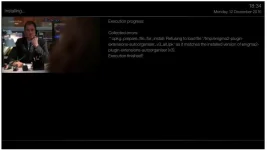
auto organiser install error.webp
 
Hi again Also tried manual install script is there and when run selected error messages again

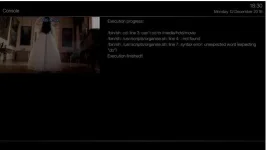
Really stuck now wife is moaning as she had it working previously and now not :-( script failure.webp

Appreciate any guidance
 
It looks like you're trying to install something completely different. Just follow the original instructions for organise.sh.
It was never installed using ipk as far as I can tell.
 
Last edited:
There's an ipk in the thread.

However, we now use scripts not script folder.
Cheers, didn't spot that, just based my assumptions on crx's last post.
 
Last edited:
Is their any way to remove what was installed via ftp eg delete any files it installed and then reinstall again via ipk? Thanks
 
In telnet do
Code:
opkg list-installed
to get a list of all installed items.
then select the one you want to de-install, and do in telnet
Code:
opkg remove name-of-package
taking care that "name-of-package" is copied from that list.
Do only one item at a time.
 

OpenViX Feeds Status

Back
Top