Superb quality and spec AB-Com PULSe 4K SE. Crazy offer! Only £99! FREE UK DELIVERY! 4K UHD, Enigma 2, Multiboot 4 images & more!...
Superb quality and spec AB-Com PULSe 4K Rev II Twin Satellite tuner only £149! FREE UK DELIVERY! 4K UHD, Enigma 2, SATA HDD facility, Multiboot 4 images & more!...

MetrixHD_MOD (Now includes a full 1080 HD version too)

Hmmm. Everything included by default in MetrixHD is in Metrix1080, and pushing up on my box brings up the channel list correctly. It could be an option selected somewhere in the settings of his box which brings up a slightly different view. Alternatively this may happen if you installed MetrixHD(not 1080), selected 1080 in the settings and then installed skin parts from the store that aren't compatible with 1080.

My advice would be to ensure thats Metrix1080 installed from the feeds rather than MetrixHD as that is the main version now moving forward. If that is definitely installed please post a screenshot and I'll look into it.
 
Hi
It's been a while since I checked here. Glad to see that metrixHD 1080p has released. I just installed it. But I'm not sure where I can customise it? I cannot see any option under skin setup or under plugins. Any help?
Thanks


Sent from my iPhone using Tapatalk
 
Hi Jugulator. The new 1080 skin isn't customisable, it was just proving too problematic with non-1080 skinparts. MatrixHD_1080 is a standalone skin to compliment the original and keep it all light weight.

However....... if you want to have play you can install the original MatrixHD skin - Go into general settings and and there is an option for skin template. Choose the one that says it is 1080 and then make sure you unselect all the default skin parts before building the skin as they are not 1080. You can then change colours and install one of the few 1080 skin parts from the store.

Hope that helps a bit.
 
Thanks scwheeler for reply.
At the moment, my main problems are that font size is too small to read. If I cannot increase the size it is a no go for me. Secondly, the progress bar for the elapsed time, is white on white. I would want to change this otherwise it is not very apparent how much the program time has elapsed.

Thanks


Sent from my iPhone using Tapatalk
 
Hi Jugulator, the progress bar should be blue and I will sort that as I don't know why it has changed. As for the text size, it's should be the same as before, which bits are too small and I'll see what I can do :)
 
Hi Jugulator, the progress bar should be blue and I will sort that as I don't know why it has changed. As for the text size, it's should be the same as before, which bits are too small and I'll see what I can do :)

Thanks Schweeler.
By text size I mean the channel listings and program names. And the top left screen area (opposite the time) there's is box which is blank. I think it used to be the weather area.


Sent from my iPhone using Tapatalk
 
The progress bar is now blue! Will be out in the next Vix update.

Yes the top left is for the weather and it's working fine on my box so not sure what has gone wrong. Can I confirm whether you are using MetrixHD_1080 skin from the feeds and not the not the old plugin? Do you have both installed on the box (perhaps there is a conflict if you do)?

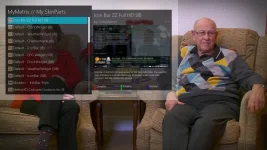
The other reason I ask this is that the font size should be very close between the same between the 2 versions. It doesn't look like this does it:

1_0_19_52D0_814_2_11A0000_0_0_0-7.webp
 
Hi there ...

But can't you put the 720p also on the Feed ? My ET4000 won't work with 1080p Skins and some of my PlugIns are also not in 1080p available.
That would be great ... I like the VIX colored buttons in the 1st Infobar ... i miss them on my "PLi-Full-HD-Night" skin i'm now using on my ET4000 an Vu+Solo2.

CU No.Trace
 
Hi ...
Thanks ;( But now the Box wont start anymore ... everytime a blackscreen ...
Tried to uninstall the Skin over telnet ... hope i can fix it.

CU No.Trace
 
Hi No.Trace, not sure why the box won't start but with the 720 version if you haven't already I recommend you setup a swap file as it uses a lot of memory when building the skin.
 
The progress bar is now blue! Will be out in the next Vix update.

Yes the top left is for the weather and it's working fine on my box so not sure what has gone wrong. Can I confirm whether you are using MetrixHD_1080 skin from the feeds and not the not the old plugin? Do you have both installed on the box (perhaps there is a conflict if you do)?

The other reason I ask this is that the font size should be very close between the same between the 2 versions. It doesn't look like this does it:

View attachment 40417

Hi
I have only 1080p version on my solo 2. It is installed from the feeds.


Sent from my iPhone using Tapatalk
 
Hi,
I have downloaded the new "my matrix hd (720p)", that on the new feeds openvix it is called "Metrix HD" and this plugin not works.

Any suggestion? Thanks


enigma2-pluging-skins-openvix-metrixhd_git48+7e3ae14-r23_vusolo2.ipk
 
Skin components do not work for the 1080 HD version of this skin

Sent from my SM-G900F using Tapatalk
 
Skin components do not work for the 1080 HD version of this skin

Sent from my SM-G900F using Tapatalk

Hi pheonix,
I do not mean matrixFhd (Full hd).
I mean a skin openvix-metrixhd, because it not work correctly after they have been updated feed, and skins not appeared in settings of skin after being installed, therefore i can't applied the skin openvix-metrixhd.

Before(with older feed openvix) i downloaded skin my matrix, and i could apply it correctly.
 
Hi I've tested and the fullHD plugin works but the 720 does not.

I'm sure it is a simple fix, and will be fine for the next update of VIX.
 
Looks like the fix is even simpler :)

For the 720p version ONLY.

You need to download the skin, the skin components and finally from Extensions in the feeds you need the Metrix plugin.

Once all of these are downloaded, you can access the Metrix plugin, add your skinparts, save the skin and it will then appear for selecting as normal in the setup menu.
 
it will still need looking at as these should be installed when installing the skin from skins.
 

OpenViX Feeds Status

Back
Top