Superb quality and spec AB-Com PULSe 4K SE. Crazy offer! Only £99! FREE UK DELIVERY! 4K UHD, Enigma 2, Multiboot 4 images & more!...
Superb quality and spec AB-Com PULSe 4K Rev II Twin Satellite tuner only £149! FREE UK DELIVERY! 4K UHD, Enigma 2, SATA HDD facility, Multiboot 4 images & more!...

[GiGaBlue QUAD] [NOT QUAD+] recording problem

  • Thread starter Thread starter Ojustaboo
  • Start date Start date
On a similar note, does anyone know if the internal HD power is cut while on standby please?, if so I could splice into that

Even in standby the receiver is pretty much still running at full pelt, same as when not in standby. All that is shut down in standby are the audio and video feeds, every thing else is still live. so you may want to allow the fan to continue spinning in standby I know I would.
 
Even in standby the receiver is pretty much still running at full pelt, same as when not in standby. All that is shut down in standby are the audio and video feeds, every thing else is still live. so you may want to allow the fan to continue spinning in standby I know I would.


I didn't realise this, many thanks. Now using deep standby when going to bed.

I've now set my xmltv import to "when in deep standby: Wake up and import" at 7am and my ABM for 7:20.

This works perfectly as I usually start watching TV with breckie at 7:30 to 7:45.
 
On my Quad Plus, normal operation uses about 24W, standby about 20W, deep standby <1W. I've four tuners and internal HDD. The standby mode in these receivers is as bad (energy consumption wise) as a SKY box, so I always use deep standby. I have a power timer which puts the box into deep standby after 10 minutes of idle operation in standby mode (so we just hit the power button on the remote). Use another power timer which wakes the box up from deep standby to run ABM and CrossEPG at 04.00 and allow a seven minute window before it shuts down again. Luckily I don't have any overheating issues (real or false readings) so haven't needed a fan. I'm still on ViX 023, though, as the recording/playback stutters have not been fixed by Gigablue driver devs.
 
Last edited:
I have a power timer which puts the box into deep standby after 10 minutes of idle operation in standby mode (so we just hit the power button on the remote).

Hi
How do you set it up as you describe?

I have set one using:
type: auto deepstandby
Only active in standby: Yes
Sleep delay: 010
Repeat type: repeated

will those settings go to deep standby 10 minutes after anytime I put it into standby?
 
Correct. I have a 2TB external disk attached via USB + a NAS used for movies via network
 
anybody got a laptop cooler to try before you butcher your sweet innocent box:D
 
On my Quad Plus, normal operation uses about 24W, standby about 20W, deep standby <1W. I've four tuners and internal HDD. The standby mode in these receivers is as bad (energy consumption wise) as a SKY box, so I always use deep standby. I have a power timer which puts the box into deep standby after 10 minutes of idle operation in standby mode (so we just hit the power button on the remote). Use another power timer which wakes the box up from deep standby to run ABM and CrossEPG at 04.00 and allow a seven minute window before it shuts down again. Luckily I don't have any overheating issues (real or false readings) so haven't needed a fan. I'm still on ViX 023, though, as the recording/playback stutters have not been fixed by Gigablue driver devs.

Never noticed the Power Timers before doh :)

Now set up similar. Auto deep standby after 10 mins normal standby.

xmltv import wakes it up at 4am, ABM at 4:15, another timer to put it in deep standby at 4:20.

Is ViX 23 anywhere around as I'm still getting the stutters on record/playback

Many thanks
 
Hi,

Do any of the various problems described in this thread (playback issues, reboots etc..) apply to the Quad Plus too?

I'm thinking of getting one of those boxes but might hold off for a while if they're effected too.

Thanks
 
A little update since having the fan. As you can see from my post in this thread quoted below on the 1st Sept, with 023, it was getting to 99 and rebooting.

Stef asked me to try flashing 23 and see what happens.

Seems to be getting worse :(

Recorded 3 things and it got to 99C then rebooted.

Upon reboot, I cancelled the 3 recordings and it was at 96C. I expected it to fall but it crept up to 99C then rebooted just watching live TV and doing nothing else :(

This evening, now I have my fan (as per post 267) I put 023 back on.

Just watching TV it didn't go above 51C

Recording 3 or 4 things at once while watching pre-recorded, it rose from 51 to 59 but won't go any higher, had it on 59 for 20 mins

So yes the fan has made a huge difference and I haven't had one reboot since installing it.

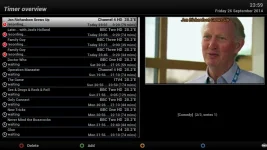
temp2.webp

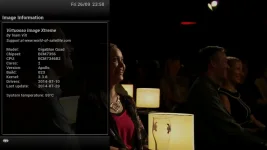
temp.webp
 
Hi,

Do any of the various problems described in this thread (playback issues, reboots etc..) apply to the Quad Plus too?

I'm thinking of getting one of those boxes but might hold off for a while if they're effected too.

Thanks

Only the occasional playback stutter on the Quad Plus since 025 (so I've stayed on 023). Will be fixed by Gigablue driver update at some stage. No reboots. No temperature issues either indicated on screen (mine never goes above 46C) or in real terms.
 
A little update since having the fan. As you can see from my post in this thread quoted below on the 1st Sept, with 023, it was getting to 99 and rebooting.


This evening, now I have my fan (as per post 267) I put 023 back on.

Just watching TV it didn't go above 51C

Recording 3 or 4 things at once while watching pre-recorded, it rose from 51 to 59 but won't go any higher, had it on 59 for 20 mins

So yes the fan has made a huge difference and I haven't had one reboot since installing it.

View attachment 37295

View attachment 37296
I'm using 023 too, I got a fan out of a old sky hd receiver i had (also took the sata hdd out hoping to put it into the quad but it's too big) I installed the fan usb style and ran the cable out of spare tuner 4 (good idea of yours Justaboo) For the time being i have just laid the fan on top of that metal V plate thing in the middle of the quad, i know it's not in the best place but just thought i'd test it and at least it would get some air flow in side..I tested it last night with 5 recordings and it stayed at a stable 79/80, When i switched it on this morning it was a low 35 and now resting at 57 while watching tv..still a bit too high but situating the fan elsewhere would help + the fan is only a small one, yours looks double the size...but i'm more than happy in what we have achieved so far..Thanks all for the suggestions of fan installing etc, at first i thought that it would be beyond my capabilities but it was very easy
Now the box is fine i'm going to put Rossi's hd image back on
 
Last edited:
Well I have no fan fitted as yet and thought I was safe running on OM 4.1, but last night had multiple reboots when recording. But I thought that image was going to be immune to this problem. I'll have to check what drivers is with that image, but it's the first time I have had this recurring problem. Will have to get the fan fitted as it will be if benefit whatever image is loaded.

Sent from my GT-I9100 using Tapatalk
 
:rolleyes:sorry to say its not a temperature issue with the gigablue quad or the plus had so many problems with vix image after image 30 I believe its the way the image is programed as switched image and box runs perfect at extremely high temperatures I recommend you downgrade your image to below vix 30 or as I have done switched to open atv 4.1 until the problem is solved as vix has always been a good image.

it is a programing issue with the drivers I am certain of that.:mad:
 
Last edited:
:rolleyes:sorry to say its not a temperature issue with the gigablue quad had so many problems with vix image after image 30 I believe its the way the image is programed as switched image and box runs perfect at extremely high temperatures.

It's a confirmed bootloader and Driver set issue which Gigablue are looking into, this is not the first time they have cocked up with drivers and it wont be the last in my opinion.
 
on the plus maybe but not on the quad. mine is now running like a well oiled machine now.
 
on the plus maybe but not on the quad. mine is now running like a well oiled machine now.

Then you are one of the lucky ones, the Quad plus does not suffer these driver and bootloader issues or at least not as much, the Quad on the other hand is almost unusable on all images for those affected and it only started AFTER installing the newest bootloader so nothing what so ever to do with the images.

This issue has been taken up by Gigablue who have fully acknowledged the issue is theirs and they are looking into fixing it.
 
I have installed the latest boot loader there are a few images I did get issues with vix image 30 onwards and pli images open atv 4.1 works fine and several others are running with that image and 4.2 with no issues. I do hope the issue is resolved soon as I do prefer the vix image.

This is not a diss on the vix images as I find them to be the best images and very user friendly so I really do hope we can resolve the issue drivers or software.

I can only go by my own personal experience.
 
Last edited:
I do hope the issue is resolved soon as I do prefer the vix image.

So do we, but it's currently out of our control until Gigablue fix the problem on their end.Best solution for now is to use a older Apollo 023 build image with the old bootloader and drivers.
 

OpenViX Feeds Status

Back
Top