Superb quality and spec AB-Com PULSe 4K SE. Crazy offer! Only £99! FREE UK DELIVERY! 4K UHD, Enigma 2, Multiboot 4 images & more!...
Superb quality and spec AB-Com PULSe 4K Rev II Twin Satellite tuner only £149! FREE UK DELIVERY! 4K UHD, Enigma 2, SATA HDD facility, Multiboot 4 images & more!...

OpenVix Blue-HD

  • Thread starter Thread starter rossi2000
  • Start date Start date
Status
Not open for further replies.
If you press the menu button it will give you some options to change the layout, one of them makes it go full screen.
 
I must say a big thank you for all the hard work put in to this skin as its fantastic!

Not sure if this is just me but does anyone else have a problem with the filelist not showing correctly? it's like the recording all seem to be squashed up and unreadable!
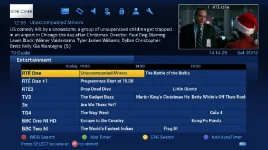

Hi I have just installed this skin and I like it very much! So thank you too for all your hard work!

However I too have the same problem the filelist is squashed vertically with the bottom half of the text missing on each line making it unreadable.
 
However I too have the same problem the filelist is squashed vertically with the bottom half of the text missing on each line making it unreadable.

When on that screen, press the menu button, then settings & change the number of rows displayed.
 
I must say a big thank you for all the hard work put in to this skin as its fantastic!

Not sure if this is just me but does anyone else have a problem with the filelist not showing correctly? it's like the recording all seem to be squashed up and unreadable!

Further to my previous post I have just been playing around whilst in the list mode by Menu/settings and changing the number of rows displayed to 12 which now allows the text space to be expanded vertically, allowing the text to be displayed correctly.

Edit - thanks judge our posts crossed over
 
Last edited:
Great work Rossi - I love the skin.

I've hit a problem since updating to Apollo 100 and using the BlueHD v3 skin. See attachments at bottom. Black border on the time bar on one image and a transparent border on the time bar on the other. Any idea how I can fix?

I've tried uninstalling and reinstalling the skin but this did not fixed the problem.

Thanks

guide1.webp
guide2.webp
 
Hi, I'm very very very new to this scene. Got my first box on Saturday VU solo 2 se, My wife and kids wany to get it to look as much like sly as possible and this skin looks great. So...for a complete noob...what do i need? and how do i do it? many thanks in advance :-)
 
There is no such receiver called the Vu+ Solo 2 SE. If you have one with this name it is a illegal counterfeit receiver and we can not provide support for it.

Sent from my SM-G900F using Tapatalk
 
Well the support is great and the box is working fine. Very good comments from a lot of people who have bought from them.
 
it's a ridiculous price for a clone... if you really wanted to knowlingly buy a clone (I wouldn't) you could get this for a fraction of the price.

You've been sold a clone at a genuine model price... I'd be complaining/reporting them.
 
Last edited:
no. Clones are not supported and are not equivalent of their 'copied' model.
My point was that you could have got a real VU+ box for the price he paid.

You should buy from somewhere genuine such as the sponsor here.
 
I wasnt looking for the link to buy one, just wanted to compare and validate if a clone or not. As long as it does what its supposed to then thats fine. I dont like to be made a fool of though so I'm pissed with myself i guess for not researching properly.
 
Status
Not open for further replies.

OpenViX Feeds Status

Back
Top