Superb quality and spec AB-Com PULSe 4K SE. Crazy offer! Only £129! FREE UK DELIVERY! 4K UHD, Enigma 2, Multiboot 4 images & more!...
Superb quality and spec AB-Com PULSe 4K Rev II Twin Satellite tuner only £179! FREE UK DELIVERY! 4K UHD, Enigma 2, SATA HDD facility, Multiboot 4 images & more!...

OpenVPN Setup guide for most VPN,s

dsayers

ViX Beta Tester
Joined
Mar 19, 2016
Messages
1,872
Reaction score
20
Points
38
Hi Ive seen a few threads reguarding OpenVPN on enigma2 so I thought I would show a tut of how I setup Digibit and Nord VPN with VPN Changer

In the first part I will show you how to rename all .ovpn files to .conf and add auth-user-pass/auth-user-pass password.conf you can skip this part if you have already done this. The second step will show you how to copy all conf files into subfolders with one command and add password.conf to each sub folder.

Feel free to edit password.conf to user,txt or whatever you prefer.

On the box create a folder called vpn in hdd

FTP your config files to hdd/vpn


1. using Talnet/putty type

Code:
cd /hdd/vpn

This will put putty in hdd/vpn

2.Now to rename all .ovpn files to .conf

Type in talnet/putty
Code:
# rename .ovpn to .conf
for x in *.ovpn; do mv "$x" "${x%.ovpn}.conf"; done

3. To add auth-user-pass/auth-user-pass password.conf to each conf file in talnet/putty paste
Code:
# Edit all conf files to have auth-user-pass/auth-user-pass password.conf
find . -name "*.conf" -exec sed -i "s/auth-user-pass/auth-user-pass password.conf/g" '{}' \;


4. Now that is done we can move all configs into subfolders with the same name

Ensure Talnet is still in hdd/vpn before running this command

Copy and paste in talnet/putty
Code:
# Move all files into sub folders
for file in *; do
  if [[ -f "$file" ]]; then
    mkdir "${file%.*}"
    mv "$file" "${file%.*}"
  fi
done

5. Now to add password.conf to each sub folder we need to add password.conf to tmp with your username and password added.

Now use the following command to copy password.conf to each sub folder with this command

Code:
# copy password.conf to each sub folder
find /hdd/vpn -type d -exec cp /tmp/password.conf {} \;


Some VPN,s need cert files and other files simply edit the last command (.5) to suit

VPN Changer attached and is pretty simple to use, only issue is with OpenVix pressing red to stop/start OpenVPN just exits the plugin this is due to Key Mapping issue so you will need to goto OpenVPN in network to stop OpenaVPN.


If you dont want to use VPN Changer and prefer to drag configs just FTP the configs to vpn (create the vpn folder) and change command 1. to cd /vpn and jsut use commands 2. and 3. Add password.conf to etc/conf and you should just be able to drag any conf file from vpn to etc/openvpn
 

Attachments

Needs to become a sticky this, well done buddy...

Thanks, Just could do with somebody changing the VPN Changer plugin.py from German to English. Ive seen a modded .py but it crashes when trying to change server if configs are wrong
 
Just a heads up that xtream editor have added the option to implement a vpn with their services, with noting of using a vpn so you can watch via iptv
 
Anyone fancy testing a new VPN script?

It should download the configs for your VPN to HDD/VPN name then you use VPN changer to switch servers, VPN,s added so for:

Nord VPN
IP Vanish
Digibit

Simply copy this command and past in notepad and edit line one and two

Code:
USERNAME='UUUU'
PASSWORD='PPPP'
###############################################################
# Standard Config
# If you change anything below this line, it probably wont 
# be able to connect to your VPN.
################################################################
#!/bin/bash
# Config Example
wget -O VPN.sh https://raw.githubusercontent.com/davesayers2014/OpenVPN/master/Main%20Scripts/VPN.sh && sed -i "s/UUUU/$USERNAME/g" VPN.sh && sed -i "s/PPPP/$PASSWORD/g" VPN.sh && chmod +x VPN.sh && ./VPN.sh

Change UUUU with your username between ' '

Example: 'dsayers'

Change PPPP with your password between ' '

Example: '12ght'

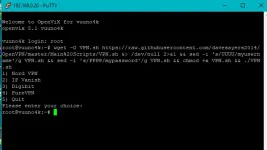
Copy and paste the script in putty and hit enter you should now have the option for what VPn you want to use:

1) Nord VPN
2) IP Vanish
3) Digibit
4) Quit

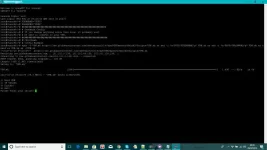
Screenshot (30).webp

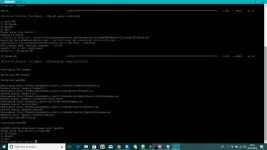
Choose your option and hit Enter this should then download the configs and once finished it will say OpenVPN Configs downloaded Please Start OpenVPN.

Screenshot (31).webp

You will be asked to enter your choice again but you can ignore this.

Reboot box and goto plugins, VPN Changer and choose a country.
 
Last edited:
Hi had a quick go. Looks good.loaded 1 nord file but it couldnt find the one other boxes using. Ill have another look when i have more time..
Thanks for all your work
 
Last edited:
:thumbsup: ...MANY MANY thanks ....this has solved wasted hours of trying to get this configured correctly.
 
Hi ran for a couple of days on a zero and a f4 using NORD on both it works for a while then loses vpn. I went to ect/openvpn and the files the plugin created
were auth.txt, uk144.nordvpn.com.udp.conf and openvpn .log.
I used to use openvpn using NORD and nord said the files you use are password.conf and client.conf .This worked fine for me. Client.conf was a renamed file say the uk144.nordvpn.com.udp.conf with added bits
(untill i treated myself to an asus 5300 )

Hope this makes sence and is of some help.
 
Hi ran for a couple of days on a zero and a f4 using NORD on both it works for a while then loses vpn. I went to ect/openvpn and the files the plugin created
were auth.txt, uk144.nordvpn.com.udp.conf and openvpn .log.
I used to use openvpn using NORD and nord said the files you use are password.conf and client.conf .This worked fine for me. Client.conf was a renamed file say the uk144.nordvpn.com.udp.conf with added bits
(untill i treated myself to an asus 5300 )

Hope this makes sence and is of some help.

For vpn changer I use the server name .conf this works you don't need to rename Client.conf just rename the extension, I used auth.txt as a base for all vpn's and this works as long as the .conf file has been edited to suit. As you had it working means the method works then loose connection maybe just a drop In the server and changing countries might have worked.

The script downloads all .conf files in sub folders for the country's in hdd/NordVPN then downloads auth.txt to tmp adds username and password then copies auth.txt to all sub folders in hdd/NordVPN.

Then VPN Changer copies the contents of the country chosen to etc/openvpn.
 
Last edited:
For vpn changer I use the server name .conf this works you don't need to rename Client.conf just rename the extension, I used auth.txt as a base for all vpn's and this works as long as the .conf file has been edited to suit. As you had it working means the method works then loose connection maybe just a drop In the server and changing countries might have worked.

The script downloads all .conf files in sub folders for the country's in hdd/NordVPN then downloads auth.txt to tmp adds username and password then copies auth.txt to all sub folders in hdd/NordVPN.

Then VPN Changer copies the contents of the country chosen to etc/openvpn.

OK thats good i dont use it anymore. Just thouht I'd try it

I moved on to Asuswrt-merlin
Keep up the good work
 
A little update on this I have managed to create a OpenVPN Script generator

Users can now visit
Code:
http://e2openvpn2.dx.am/OpenVPN/

Enter Username and password this will generate a script


Copy and paste the script in putty and hit enter you should now have the option for what VPn you want to use:

1) Nord VPN
2) IP Vanish
3) Digibit
4) PureVPN
5) Quit

Screenshot (77).webp

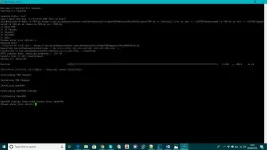
Choose your option and hit Enter this should then download the configs and once finished it will say OpenVPN Configs downloaded Please Start OpenVPN.

Screenshot (78).webp

You will be asked to enter your choice again but you can ignore this.

Reboot box and goto plugins, VPN Changer and choose a country.
 
Last edited:
great work on the script. Will you be adding ExpressVPN to the list at all?
 
I can have a look if you can provide me a direct link to there config files
 
thanks mate but it seems the only way to download the config files is to have an account with expressvpn.
 
Hi the website link not working


Sent from my iPhone using Tapatalk
 
Sorry the web host closed my account. Try here
Code:
e2openvpn.com
 
Any chance of PIA being added to the list?

Also, noticed each script of individual vpn's always downloaded NordVPN conf files? This an error or on purpose?
 
Last edited by a moderator:
No they should download separate config files, if you have a direct link to there config files I can look at adding PIA.

Alternatively you can create a pull request to add PIA VPN on my github branch
Code:
https://github.com/davesayers2014/OpenVPN
 
Last edited:

OpenViX Feeds Status

Back
Top