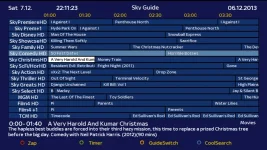
Superb quality and spec AB-Com PULSe 4K SE. Crazy offer! Only £99! FREE UK DELIVERY! 4K UHD, Enigma 2, Multiboot 4 images & more!...
Superb quality and spec AB-Com PULSe 4K Rev II Twin Satellite tuner only £149! FREE UK DELIVERY! 4K UHD, Enigma 2, SATA HDD facility, Multiboot 4 images & more!...

SKY.HD Skin +cool tv guide skin

its to much hassle for me to make the ipk file for my cool epg ..
if anyone wanted one looking like mine its easy to modify yourself and make it the way u like it...
 
Last edited:
if you can put all the necessary files together in one package maybe we can get some one to create the .IPK for you ?, not making any promises as it's not something i can do my self.
 
one other thing you could try is the .ipk creator by the persian prince, i used a early version once and it worked ok under windows 7 but that was a long time ago.

Code:
http://openpli.org/forums/topic/28419-ipk-creator-30-java/
 
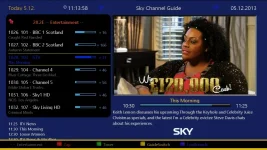
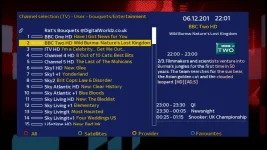
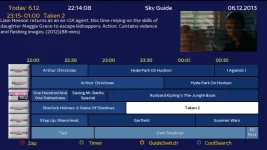
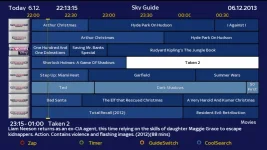
sky cool guide

hello again im back...
I think I have managed to create a ipk for u to test if u want
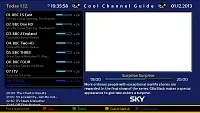
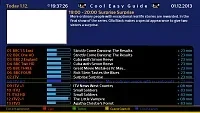
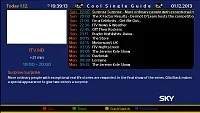
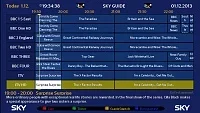
this is cool tv guide with my sky skin added...I have a dreambox so I only know for sure it works on that as ive tested on my box only,,,
it is for OE 1.6
if u don't have cool tv guide installed install this then reboot box...or uninstall old cool guide and install mine after..
now u should have cool guide installed. you might need to go into plugins and set cool guide to use my skin very easy..

hope this helps u and I hope u like it.....

remember this is cool tv guide and cool skin only its not the skin your box uses..

if any one likes it ill create a OE 2.o version for other images..cool%20chan%20guide.webpcool%20easy%20guide.webpcool%20single%20guide.webpcool%20tv%20guide.webp
 

Attachments

please delete the last two posts ive checked again and it dosent work...
ill have to post files here and if someone has time perhaps they could make the ipk file

ok this is the files for oe1.6
 

Attachments

Last edited:
sky cool epg OE2.0

heres the files for OE 2.0 if any one has time to make a ipk

sorry about me making so many post ive tried to delete my old post to clean this up but I don't think I can..

next time ill double check before I make any post as I cant delete them if I made a mistake..

once again im very sorry for my mistakes
 

Attachments

Last edited:
Once i install IPK through FTP, i install local extension, but get the message:
Execution progress:

/bin/sh: syntax error unexpected "("
Execution finished!!

Any ideas? I'm lost.
Using vix 3.0 Build 796

I download the ipk to desktop then ftp it over (is this correct)?????
 
don't use the ipk
I made a mistake when I created them that's why I asked for the ipk post to be removed.
the only way u can get it going is to download the proper cool tv guide from here
Code:
http://www.cooltvguide.com/
and install that and reboot box I normally unplug power and plug it in again.
then download the oe2.0 files I posted .
extract them
now ftp your box and goto
/usr/lib/enigma2/python/Plugins/Extensions//CoolTVGuide/
u will see 2 folders called Cool3D and CoolSkin these folders are the skin folder for cool guide.
now in the oe2.o file I posted u will see the same folders u need to replace the folder on your box with the folder in my oe2.0. now it should be my sky skin.
if its not go to plugins cool tv guide and change the skin to my desighn now it should work.

this is the only way until someone can create the ipk file with my files.


you only need to replace these two folders with mine Cool3D and CoolSkin

don't forget once u have installed cool guide u need to reboot the box.

and I may be wrong but cool tv guide dosent work on every Linux box also I don't think cool guide works on a vix I don't have a vix box so I cant say for sure...
 
Last edited by a moderator:
sky cool guide easy way..

if u have cool guide installed already.

download this and extract it.
now ftp your box and go to

/usr/lib/enigma2/python/Plugins/Extensions//CoolTVGuide/

u will see 2 folders called Cool3D and CoolSkin these folders are the skin folder for cool guide.

delete them and transfere my Cool3D and CoolSkin folders to your box

now u should have my skin..

if its not my skin go to plugins cool tv guide and change the skin to my design now it should work.

let me know if u like it.

one other thing is I have only sky uk channels on my box so I made the skin for sky.
if u have hotbird or any other sats when u use cool guide it will still have the sky logos.....

this is the only way and easy way until someone can make a ipk with my files I don't think any one will make the ipk unless this skin gets good feed back from u guys so test it and post your comments

also if u wanted u can make your own design just customize the colours in my folders to suit u...

this is very easy to do.

let me know if u like it or if you can think of something else that can be done to it to make it better if i can..
im not a programmer so im limited as to what I can do ...
 

Attachments

Last edited:
this is the only way and easy way until someone can make a ipk with my files I don't think any one will make the ipk unless this skin gets good feed back from u guys so test it and post your comments

Fraggle121,
I sent you a pm the other night with an ipk, guess you never got it buddy. Here is another with the files you just posted to install send the file to /tmp then paste this command into telnet.

Code:
opkg install -force-overwrite /tmp/coolskin-skyhdmod-fraggle121_05-12-13_mips32el.ipk

Great work by the way, tested on OpenPLI 4.0

shot1.webp
 

Attachments

cool im so glad u liked it and I hope others do to...
thank u for making the ipk.
I tried to make the ipk with ipk creator but I found only one video tutorial and it had no audio it was a bit hard to follow.
I did as they did in the vid but it never worked...
once again thank u m8.now people who don't know how to ftp and replce files can do this so much easier thanks to you...:D
 
Last edited:
my cool sky skin has been downloaded a few times has any one got any comments like improvements and what images it works ok on.
if u like it or not .....
don't be shy this was my first attempt at making the skin.....
 
Last edited:
Hi sorry it took so long for an update
Sorry no vix integration yet

New version 0.5
Channel list now shows more channels
Tweaked infobar
Cool tv guide skin has been updated


What I would still like to do:
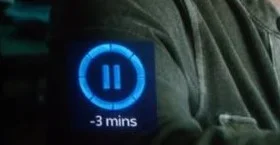
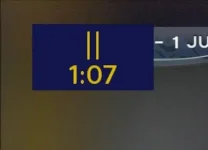
Change the timeshift icons to look more like sky (nothing I have tried works :confused: )
Possibly skin vix screens


Install SH4 veresion if you have a pkteam image otherwise install standard version.
50infobar.webp05clist.webp05coolnice.webp50multi.webp05cooltiny.webp
 

Attachments

Last edited:
looking good

I think ill stop modding my cool guide skin because I think everyone will prefere yours....
 
Last edited:
I think a lot of people out there will like yours! the only thing I do not like is the use of black as if you look at a sky guide they do not use black anywhere so it looks out of place a bit. I think if you changed the black bits to a different shade of blue it would look really good!
 
I agree with you on the black.....
ill have a play with it tomorrow......

I may be silly but what do u meen change the time shift icons could u show a picture of them so I know what u meen..
 
Last edited:

OpenViX Feeds Status

Back
Top