Superb quality and spec AB-Com PULSe 4K SE. Crazy offer! Only £129! FREE UK DELIVERY! 4K UHD, Enigma 2, Multiboot 4 images & more!...
Superb quality and spec AB-Com PULSe 4K Rev II Twin Satellite tuner only £179! FREE UK DELIVERY! 4K UHD, Enigma 2, SATA HDD facility, Multiboot 4 images & more!...

[ViX_Misc] Upgrading to Vix 4.2.009 from 3.0.733

  • Thread starter Thread starter im2020
  • Start date Start date
I

im2020

Guest
I've been a happy Vix user on a Vu+ Duo2 for 3 years but have never updated my image build 3.0.733. I'd like to get up to date and have flashed build 4.2.009 (trying both with and without settings restore). I'd like to recover previous settings, particularly internet connection settings, which haven't transferred to my new image. When I try to recover backups/images I get messages saying they're not compatible with my new image.

Does this mean I need to upgrade in 2 or more hops rather than trying to go from 3.0.733 to 4.2.009 in one jump?

TIA for any help.
 
The version you've chosen to install requires a clean install, you can manually pull settings from a backup and upload the relevant files to the box, but in simple terms you're better off setting it up 'fresh'.
 
4.2 requires a fresh flash with no settings/plugins restores. So you'll need to start from scratch if you're using 3.0
 
Unfortunately smaller hops do not help either. 4.2 has bigger changes in their engine and preventing possible conflicts it is forbidden to restore old backups. For best results it is suggested to set up from scratch. (Though you could do some FTP magic for some settings)
 
Thanks Avalon, ccs and tomuser for speedy replies. I'll try again to set it up from scratch. This had been my initial intention but I couldn't seem to set up either my wlan or lan internet connection. It found the wlan signal but I couldn't get into the settings to enter WPA2 stuff and it just couldn't seem to find my lan connection.
 
If you have a settings backup, transfer it over to your pc and unpack it using winrar. You can then ftp over or examine and copy over any settings that you need.
 
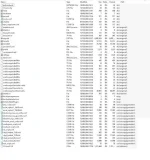
Thanks IAmATeaf. I did that but couldn't find my network settings (WLAN SSID etc). Attached is the list of files. Would I find network settings in any of those?
 

Attachments

  • Settings.webp
    Settings.webp
    56.3 KB · Views: 44
For LAN, just leave on DHCP.

Reserve IP on router if you can and it will always have the same IP address.
 
Thanks to you both. The reason for wanting to drop in network settings from a previous image was not that I didn't know them or couldn't recreate them it was because the installation of 4.2.009 from scratch failed to recognize the ethernet connection and whilst recognizing the wifi router didn't ever give me the chance to enter the settings for it.

I'm set up to have another try at installing from scratch tonight and will take extra care to see if I can get the network wizard to set up my connections. If it doesn't I'd welcome extra ideas (and I'll provide info and how the wizard is falling short).
 
Hi... Not try to hijack the thread but I've had no end of problems since coming up from the previous version to this one... Epg doesn't work, cant download anything, can't upload bouqets to it. Tried numerous reinstall but nothing... Both my zero and se are having the same problems... Is it the image or me missing something?

Sent from my SM-P900 using Tapatalk
 
Thanks to you both. The reason for wanting to drop in network settings from a previous image was not that I didn't know them or couldn't recreate them it was because the installation of 4.2.009 from scratch failed to recognize the ethernet connection and whilst recognizing the wifi router didn't ever give me the chance to enter the settings for it.

I'm set up to have another try at installing from scratch tonight and will take extra care to see if I can get the network wizard to set up my connections. If it doesn't I'd welcome extra ideas (and I'll provide info and how the wizard is falling short).

You may need to download wifi drivers from the feeds for your dongle which you can't do without a network connection so getting your wired connection working should be a priority. The other way would be to save the drivers in an old version and then copy them back to the new version. I don't know where they are stored but someone may chime in.

Out of interest what happens when you try to use an Ethernet connection?
 
I never set up wired network settings. I exit that screen. Most people have DHCP enabled on their routers so it will just work provided you have a connection. The first install wizard checks for internet connection, you do other things, then it goes to network setup.
 
Thanks ab and Tkr001 (and all previous helpers). Had a more measured run at installing 4.2.009 from scratch last night and all seems fine. Still haven't had the ethernet connection recognised but the Wlan is OK and CCcam and Bouquets are all reinstalled and recordings were preserved.

Thanks again
 

OpenViX Feeds Status

Back
Top