
birdman
Moderator
I can't find any reference to it.Boot logotipo is core. Backdrop is opened by enigma2.sh when enigma start.


I can't find any reference to it.Boot logotipo is core. Backdrop is opened by enigma2.sh when enigma start.
Click the link in post #16 for backdrop referenceI can't find any reference to it.
Hmmm.... Must have had my eyes shut.Click the link in post #16 for backdrop reference

Nope, tried that and it doesn't show on the LED screen during boot.
It's the main screen I have issues with, not the LED display.



Probaly start order is indeed not correct and is using the default "start 06 S ." paramThe timing issue may be why you don't see it. That being said, the Duo 4k SE uses same chipset as ultimo 4k.
INITSCRIPT_NAME = "bootlogo"
INITSCRIPT_PARAMS = "start 06 S ."
INITSCRIPT_PARAMS:vuduo2 = "start 70 S ."
INITSCRIPT_PARAMS:vusolo2 = "start 70 S ."
INITSCRIPT_PARAMS:vusolose = "start 70 S ."
INITSCRIPT_PARAMS:vusolo4k = "start 70 S ."
INITSCRIPT_PARAMS:vuuno4k = "start 70 S ."
INITSCRIPT_PARAMS:vuuno4kse = "start 70 S ."
INITSCRIPT_PARAMS:vuultimo4k = "start 70 S ."
INITSCRIPT_PARAMS:vuzero4k = "start 70 S ."INITSCRIPT_PARAMS:vuduo4k = "start 70 S ."
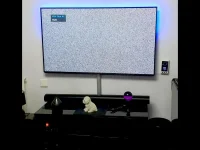
INITSCRIPT_PARAMS:vuduo4kse = "start 70 S ."All of my mvi files are 1920x1080.I wonder, During boot, Just after the 576p VU logo shows, I get a quick flash of digital dots for a millisecond before the screen changes to 720p @60Hz. I wonder if it is trying to show the bootlogo.mvi a fraction before the resolution changes and can't cope with an image of that size.
Is this something I can add to my existing image Openvix 6.5.003 or will I need to wait until the next release of Openvix 6.5.004?
cd /etc/rcS.d && rm S06bootlogo && ln -s /etc/init.d/bootlogo S70bootlogoYou could try moving your current bootlogo lower down in the init script alpha/numberic Start order yourself?
Code:cd /etc/rcS.d && rm S06bootlogo && ln -s /etc/init.d/bootlogo S70bootlogo
There are two stages to starting up enigma2, and one of these files is put on the display at the start of each of these stages.Interesting. I still don't see the bootlogo.mvi, but the backdrop.mvi shows much earlier,

There are two stages to starting up enigma2, and one of these files is put on the display at the start of each of these stages.
When Linux starts booting the /etc/init.d/bootlogo script puts up bootlogo.mvi.
Later, when enigma2 starts (which is after Linux is fully started) /usr/bin/enigmna2.sh pus up backdrop.mvi.
So how long each is shown depends on your hardware.
Since it is enigma2 that runs the spinning logo (during which the screen resolution changes - at least for me) you should be seeing that over backdrop.mvi.
At one point, IIRC, these two images (i.e. the picture they showed) were the same on standard enigma2, but the former one included "Please Wait", while the latter did not.
EDIT: Although on looking at some recent MK posts of new versions of these files, I may have got that the wrong way round.

There are two stages to starting up enigma2, and one of these files is put on the display at the start of each of these stages.
When Linux starts booting the /etc/init.d/bootlogo script puts up bootlogo.mvi.
Later, when enigma2 starts (which is after Linux is fully started) /usr/bin/enigmna2.sh pus up backdrop.mvi.
So how long each is shown depends on your hardware.
Since it is enigma2 that runs the spinning logo (during which the screen resolution changes - at least for me) you should be seeing that over backdrop.mvi.
At one point, IIRC, these two images (i.e. the picture they showed) were the same on standard enigma2, but the former one included "Please Wait", while the latter did not.
EDIT: Although on looking at some recent MK posts of new versions of these files, I may have got that the wrong way round.


