Superb quality and spec AB-Com PULSe 4K SE. Crazy offer! Only £99! FREE UK DELIVERY! 4K UHD, Enigma 2, Multiboot 4 images & more!...
Superb quality and spec AB-Com PULSe 4K Rev II Twin Satellite tuner only £149! FREE UK DELIVERY! 4K UHD, Enigma 2, SATA HDD facility, Multiboot 4 images & more!...

bootlogo.mvi doesn't show when booting

Nope, tried that and it doesn't show on the LED screen during boot.

It's the main screen I have issues with, not the LED display.

That is meant for Ultimo 4K (LCD size 800x480). What is the LCD size of Duo 4K SE ? 480x320 ?

lcd.webp
 
My H9S SE shows both a backdrop.mvi and bootlogo.mvi. They are located in /etc/enigma2. I have not tested other receivers yet.
 
I did a little experimenting with my AX 61HD. It shows both backdrop.mvi (briefly) and then bootlogo.mvi during the boot process. I placed the files in /etc/enigma2/
 
Thanks guys and gals. I've tried everything but don't understand why. Maybe it is my TV and the timing the screen resolution changes during boot and it is just not quick enough to show the bootlogo.mvi. When I change screen resolution to 4K (2160p) and reboot, I don't ,even get to see the VU+ boot screen logo (TV switches to 576p) then it does 720p @60Hz before changing again to 2160p when I eventually get to see the backdrop.mvi proir to the picture showing with the infobar.

With boot from all other resolutions, I see the VU+ logo on the TV and on the LCD.

I can only assume it is a timing quirk with my TV and the VU+ Duo 4K SE which never happened with the Ultimo4K. Think I'll give up before I lose any more grey hairs :-)

EDIT: Orlandox, I resized your image to 480x320 and put it in user/share. Still didn't show on LCD during boot. I did try m8. ;)


I wonder, During boot, Just after the 576p VU logo shows, I get a quick flash of digital dots for a millisecond before the screen changes to 720p @60Hz. I wonder if it is trying to show the bootlogo.mvi a fraction before the resolution changes and can't cope with an image of that size. I wonder if there is a way to pause the showing of the bootlogo.mvi by a second?
 
Last edited:
The timing issue may be why you don't see it. That being said, the Duo 4k SE uses same chipset as ultimo 4k.
 
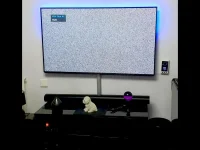
OK, I've managed to get a better screenshot of that moment that shows before the resolution change to 720p @60Hz. I think this is the moment it is trying to show the bootlogo.mvi. What do you think?

Note that the TV isn't showing any screen resolution at that moment.

SnapShot.webp

Here is a clip of the VU+ Duo 4K SE and the TV showing what I see on screen.

 
Last edited:
The timing issue may be why you don't see it. That being said, the Duo 4k SE uses same chipset as ultimo 4k.
Probaly start order is indeed not correct and is using the default "start 06 S ." param

OpenVix is missing all the INITSCRIPT_PARAMS for the duo4k models.

see. bootlogo fix vuduo4kse start order

Code:
INITSCRIPT_NAME = "bootlogo"
INITSCRIPT_PARAMS = "start 06 S ."
INITSCRIPT_PARAMS:vuduo2 = "start 70 S ."
INITSCRIPT_PARAMS:vusolo2 = "start 70 S ."
INITSCRIPT_PARAMS:vusolose = "start 70 S ."
INITSCRIPT_PARAMS:vusolo4k = "start 70 S ."
INITSCRIPT_PARAMS:vuuno4k = "start 70 S ."
INITSCRIPT_PARAMS:vuuno4kse = "start 70 S ."
INITSCRIPT_PARAMS:vuultimo4k = "start 70 S ."
INITSCRIPT_PARAMS:vuzero4k = "start 70 S ."

Code:
INITSCRIPT_PARAMS:vuduo4k = "start 70 S ."
INITSCRIPT_PARAMS:vuduo4kse = "start 70 S ."
 
I wonder, During boot, Just after the 576p VU logo shows, I get a quick flash of digital dots for a millisecond before the screen changes to 720p @60Hz. I wonder if it is trying to show the bootlogo.mvi a fraction before the resolution changes and can't cope with an image of that size.
All of my mvi files are 1920x1080.
They happily show at the 720p start-up resolution (576p is only there for the vendor's boot logo), and one of them (backdrop.mvi) is there during the 720p to 1080p switch, with no display problem.
 
Is this something I can add to my existing image Openvix 6.5.003 or will I need to wait until the next release of Openvix 6.5.004?

You could try moving your current bootlogo lower down in the init script alpha/numberic Start order yourself?

Code:
cd /etc/rcS.d && rm S06bootlogo && ln -s /etc/init.d/bootlogo S70bootlogo
 
You could try moving your current bootlogo lower down in the init script alpha/numberic Start order yourself?

Code:
cd /etc/rcS.d && rm S06bootlogo && ln -s /etc/init.d/bootlogo S70bootlogo

Interesting. I still don't see the bootlogo.mvi, but the backdrop.mvi shows much earlier, the moment the screen changes to 720p @60 the backdrop shows. I still get 'the dots' for a few milliseconds about 2 seconds before the screen resolution changes to 720p @60.

Thanks for your efforts LariZer
 
Interesting. I still don't see the bootlogo.mvi, but the backdrop.mvi shows much earlier,
There are two stages to starting up enigma2, and one of these files is put on the display at the start of each of these stages.

When Linux starts booting the /etc/init.d/bootlogo script puts up bootlogo.mvi.
Later, when enigma2 starts (which is after Linux is fully started) /usr/bin/enigmna2.sh puts up backdrop.mvi.
So how long each is shown depends on your hardware.

Since it is enigma2 that runs the spinning logo (during which the screen resolution changes - at least for me) you should be seeing that over backdrop.mvi.

At one point, IIRC, these two images (i.e. the picture they showed) were the same on standard enigma2, but the former one included "Please Wait", while the latter did not.

EDIT: Although on looking at some recent MK posts of new versions of these files, I may have got that the wrong way round.
 
Last edited:
There are two stages to starting up enigma2, and one of these files is put on the display at the start of each of these stages.

When Linux starts booting the /etc/init.d/bootlogo script puts up bootlogo.mvi.
Later, when enigma2 starts (which is after Linux is fully started) /usr/bin/enigmna2.sh pus up backdrop.mvi.
So how long each is shown depends on your hardware.

Since it is enigma2 that runs the spinning logo (during which the screen resolution changes - at least for me) you should be seeing that over backdrop.mvi.

At one point, IIRC, these two images (i.e. the picture they showed) were the same on standard enigma2, but the former one included "Please Wait", while the latter did not.

EDIT: Although on looking at some recent MK posts of new versions of these files, I may have got that the wrong way round.

When my boxes boot from deep standby they first display bootlogo.mvi and then backdrop.mvi*** with a quick (0.5 second) black screen between them.

The images and mvi file names generated by Logomatik and placed in etc/enigma2/

https://www.world-of-satellite.com/showthread.php?57513#3


*** It may be reboot.mvi as this, in my case, is the same as the backdrop.mvi image.
 
Last edited:
There are two stages to starting up enigma2, and one of these files is put on the display at the start of each of these stages.

When Linux starts booting the /etc/init.d/bootlogo script puts up bootlogo.mvi.
Later, when enigma2 starts (which is after Linux is fully started) /usr/bin/enigmna2.sh pus up backdrop.mvi.
So how long each is shown depends on your hardware.

Since it is enigma2 that runs the spinning logo (during which the screen resolution changes - at least for me) you should be seeing that over backdrop.mvi.

At one point, IIRC, these two images (i.e. the picture they showed) were the same on standard enigma2, but the former one included "Please Wait", while the latter did not.

EDIT: Although on looking at some recent MK posts of new versions of these files, I may have got that the wrong way round.

backdrop.mvi used to display the "please wait" message but we decided a long time ago that was incorrect so now bootlogo.mvi now shows that message and backdrop does not. What others do is up to them.
 
It's working!!! Woke up this morning and rebooted and saw both bootlogo and backdrop. I replaced them with a few custom images and they are working too. The bootlogo.mvi shows at the same time the resolution changes to 720p @60 shows from the TV.

Thank you all for your help and support. Mark this topic as FIXED!!!! :smiley_yup:


Last edited:
Glad you've got it sorted.:thumbsup: Question, though - why are you using a 720p @ 60Hz setting during booting? I'm just curious because european TV is all 50Hz and you seem to be loading BBC as the startup channel.
 

OpenViX Feeds Status

Back
Top