Superb quality and spec AB-Com PULSe 4K SE. Crazy offer! Only £99! FREE UK DELIVERY! 4K UHD, Enigma 2, Multiboot 4 images & more!...
Superb quality and spec AB-Com PULSe 4K Rev II Twin Satellite tuner only £149! FREE UK DELIVERY! 4K UHD, Enigma 2, SATA HDD facility, Multiboot 4 images & more!...

OpenViX 6.6 Release discussion thread

Device: Zgemma H7
Image: OpenViX 6.6.011 (2024-11-11-Release)
Kernel: 4.10.12 / 20191123
OpenWebif Version: OWIF 2.2.0

I can't bring up the web Autotimers editor from the web EPG when the tv show has an apostrophe in the title.

Browsers tested: Chrome for Windows, Firefox for Windows

Steps:
Visit my openwebif on my zgemma in desktop browser
Main -> Television
Switch to EPG tab, display mode set to TV Guide
Scroll to a programme with an apostrophe ' in the title
Click it, a box appears, left column has icons for Stream, Add a timer, Edit Timer, Add a zap timer, Add an Autotimer, Delete Timer, Search IMDB.
Click the Add an Autotimer icon.
Nothing happens.
Ctrl Shift I to bring up devtools. Switch to console. See error:
Uncaught SyntaxError: missing ) after argument list

The 3rd parameter to addAutoTimerEvent includes the unescaped show name including the '
 
on my duo2 works fine with 5002 extplayer
 
quick question, please. Does 6.6.011 use/need more flash memory? on 6.6.055 i'm left with 600mb and 6.6.011 always seem show 0 mb om info/memory page. gigablue uhd. thanks
 
show the right amounts here 213K free flash
 
Yes, it worked for 2.5 years with the same supplier until a few days ago. And it still works in OpenATV. That is not to say the provider did not change something, but if they did it was a change that did not matter to OpenATV (+serviceapp).

the only obvious difference is that on ATV you are using my.iptv.provider:443 and on ViX my.iptv.provider
 
the only obvious difference is that on ATV you are using my.iptv.provider:443 and on ViX my.iptv.provider

I wondered about that, but if I change the playlist to add the :443 and rebuild the bouquets it still doesn't work, equally if I remove it from OpenATV it still does work.

I thought I would try a clean flash to the latest Vix, in the 3rd slot, not restoring any settings or plugins, so it was totally clean.
I got as far as setting up the tuners to 28.2E, running ABM etc. I.e., happily watching Freesat channels, but whenever I select one from the EPG, Vix crashes and restarts. I have to type the channel number in or use the +/-
I wondered if it might be the default skin so I changed to my favourite youvix-blue and it is still crashing all the time.
This is with no extra plugins installed (until youvix-blue anyway).
I also wondered if it was because the EPG hadn't fully populated yet, but even when it had it was still happening, every time.
 
I wondered about that, but if I change the playlist to add the :443 and rebuild the bouquets it still doesn't work, equally if I remove it from OpenATV it still does work.

I thought I would try a clean flash to the latest Vix, in the 3rd slot, not restoring any settings or plugins, so it was totally clean.
I got as far as setting up the tuners to 28.2E, running ABM etc. I.e., happily watching Freesat channels, but whenever I select one from the EPG, Vix crashes and restarts. I have to type the channel number in or use the +/-
I wondered if it might be the default skin so I changed to my favourite youvix-blue and it is still crashing all the time.
This is with no extra plugins installed (until youvix-blue anyway).
I also wondered if it was because the EPG hadn't fully populated yet, but even when it had it was still happening, every time.
need crash/debug log to see why its crashing
 
need crash/debug log to see why its crashing

Ok, I tried again from clean flash, and the only things I did differently was install the skin through the wizard, and set tuner 2 up separately rather than being equal to tuner 1. Anyway it's not crashing this time. EPG working fine.
Installed bouquet-maker-extreme and serviceapp, added my playlist, initially as 4097 to check. All working fine. Switch to 5002, no picture.
Interestingly bmx reports there is an active connection, even though there is no picture or sound.
Giving up now. Looks like I am stuck with OpenATV even though I don't like it as much (it is still great though, no disrespect to it!).
Thanks for your help anyway guys.
 
shows everything as in previous version here on duo2
 
Ok, I tried again from clean flash... Installed bouquet-maker-extreme and serviceapp, added my playlist, initially as 4097 to check. All working fine. Switch to 5002, no picture.
Interestingly bmx reports there is an active connection, even though there is no picture or sound.
Giving up now. Looks like I am stuck with OpenATV even though I don't like it as much (it is still great though, no disrespect to it!).
Thanks for your help anyway guys.

I did some more experiments with different images, to try to get some more clues about my problem where my IPTV sub won't play on service 5002 anymore (Gigablue GBUE4K)
Installed 4 different (latest) images, clean flashed, just serviceapp and bouquet maker extreme.
All images played OK on 4097, but switched to 5002 and:
OpenVix and PureE2 - no picture and sound
OpenATV and TeamBlue - totally fine

Still baffled by this. I miss Vix. :(
 
I did some more experiments with different images, to try to get some more clues about my problem where my IPTV sub won't play on service 5002 anymore (Gigablue GBUE4K)
Installed 4 different (latest) images, clean flashed, just serviceapp and bouquet maker extreme.
All images played OK on 4097, but switched to 5002 and:
OpenVix and PureE2 - no picture and sound
OpenATV and TeamBlue - totally fine

Still baffled by this. I miss Vix. :(

Can you post or pm something that can be tested by us?
 
I'm not sure what really. I posted some logs a couple of pages back, but noting jumped out at anybody.
I checked ffmpeg versions and although TeamBlue is ahead of Vix, Atv is the same as Vix and Atv works, so it's not that.
In the logs I noticed exteplayer3 has a user agent parameter in Atv but not in Vix, but it doesn't in Teamblue either yet that works, so it's not that either.
 
I'm not sure what really. I posted some logs a couple of pages back, but noting jumped out at anybody.
I checked ffmpeg versions and although TeamBlue is ahead of Vix, Atv is the same as Vix and Atv works, so it's not that.
In the logs I noticed exteplayer3 has a user agent parameter in Atv but not in Vix, but it doesn't in Teamblue either yet that works, so it's not that either.

I am quite willing to look at this, but I need something to play with……there are a few variables/differences between the images but I need something from you that doesn,t work for you..

I am assuming you have installed exteplayer3 as well as serviceapp?
 
I am quite willing to look at this, but I need something to play with……there are a few variables/differences between the images but I need something from you that doesn,t work for you..

I am assuming you have installed exteplayer3 as well as serviceapp?

Yes. Although installing serviceapp installs exteplayer3 anyway I think, I have tried removing and re-adding it individually. Serviceapp reports version 68 of exteplayer3 in all cases (all parameters as defaults) .
I'll see if I can find a public stream that gives the same problem.

Edit I just found a stream for BBC One, stuffed it into the favourites bouquet as below, and it WORKED. So it does work, just not with my provider anymore.
I cannibalised the Freesat BBC One entry and escaped out all the colons:

#SERVICE 5002:0:19:287B:800:2:11A0000:0:0:0:http%3a//vs-hls-push-uk-live.akamaized.net/x=4/i=urn%3abbc%3apips%3aservice%3abbc_one_london/iptv_hd_abr_v1.m3u8:BBC One HD
#DESCRIPTION BBC One HD

I don't know what that tells us really.
 
Last edited:
Yes. Although installing serviceapp installs exteplayer3 anyway I think, I have tried removing and re-adding it individually. Serviceapp reports version 68 of exteplayer3 in all cases (all parameters as defaults) .
I'll see if I can find a public stream that gives the same problem.

Edit I just found a stream for BBC One, stuffed it into the favourites bouquet as below, and it WORKED. So it does work, just not with my provider anymore.
I cannibalised the Freesat BBC One entry and escaped out all the colons:

#SERVICE 5002:0:19:287B:800:2:11A0000:0:0:0:http%3a//vs-hls-push-uk-live.akamaized.net/x=4/i=urn%3abbc%3apips%3aservice%3abbc_one_london/iptv_hd_abr_v1.m3u8:BBC One HD
#DESCRIPTION BBC One HD

I don't know what that tells us really.
Sent you a pm
 
Thanks - replied

As in pm all worked or me on gbue4k and 2nd box.
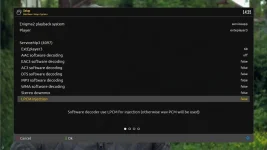
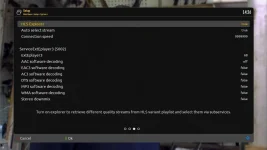
Pics show setup.
As per PM make sure Serviceapp is from OpenViX feeds and you have installed exteplayer3 (opkg install exteplayer3)
 

Attachments

  • Screenshot 2024-12-03 at 14-09-59 GigaBlue UHD QUAD 4K PRO - OpenWebif.webp
    Screenshot 2024-12-03 at 14-09-59 GigaBlue UHD QUAD 4K PRO - OpenWebif.webp
    40.1 KB · Views: 19
  • Screenshot 2024-12-03 at 14-25-52 GigaBlue UHD QUAD 4K PRO - OpenWebif.webp
    Screenshot 2024-12-03 at 14-25-52 GigaBlue UHD QUAD 4K PRO - OpenWebif.webp
    25.2 KB · Views: 20
  • Screenshot 2024-12-03 at 14-26-47 GigaBlue UHD QUAD 4K PRO - OpenWebif.webp
    Screenshot 2024-12-03 at 14-26-47 GigaBlue UHD QUAD 4K PRO - OpenWebif.webp
    24.5 KB · Views: 18

OpenViX Feeds Status

Back
Top