Superb quality and spec AB-Com PULSe 4K SE. Crazy offer! Only £99! FREE UK DELIVERY! 4K UHD, Enigma 2, Multiboot 4 images & more!...
Superb quality and spec AB-Com PULSe 4K Rev II Twin Satellite tuner only £149! FREE UK DELIVERY! 4K UHD, Enigma 2, SATA HDD facility, Multiboot 4 images & more!...

OpenViX 6.6 Release discussion thread

Software update - no internet

I have a GigaBlue UHD UE 4K and decided today to check the state of my Gigablue and its software/firmware.

I am able to update my firmware to the latest version, and have successfully done so today. My issue is with the system software update function. Maybe I am doing this wrong or there is another way. I have a Pi-Hole DNS and when I test the network settings, everything works correctly. But when I try to go to "Setup" -> "System" -> "Software update" -> "Software update" It gives me a message that it doesn't have internet access. However checking my firewall logs, the Gigablue UHD UE 4K is trying to access 8.8.8.8 and is failing as this is hard coded into the software. Can this be changed to use the local DNS server it uses for everything else please? Or do I have to manually update anything else?

I am running the following software

System OE: OE-Alliance 5.4
Firmware version: OpenViX 6.6.001 (2024-06-04)
Kernel / Drivers: 4.1.20 / 20200723
 
Last edited:
Well we use google as its unlikely to be down.
instead of software update, why not use imagemanager, download latest image, flash and restore settings…..
In my view safer and as quick.
 
Last edited:
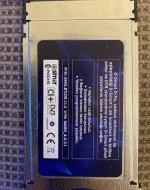
I think it's 1.3 but I'm not sure.View attachment 66474

First pull out the module and rstart... should boot up.
Then Menu/setup/system/log/ settings .. change debug level to debug+

Restart
Push in the module and assuming it crashes, provide the debug log

Are using files in /etc/ciplus to setup the module?
 
View attachment logs.zip

I installed the latest version 6.6 but the same problem persists. Then I took the CommonInterfaceAssignment file from 6.4 and added it to the latest version, but it didn't work either :) I also added the log file. @twol
 
Openvix 6.6.002 - SF8008

Kodi fails to read .mkv or .ts files producing a blank screen or crashes.
 
Last edited:
I also see this error on my OpenVIX 6.6.003 Vu+Duo4K SE, and this is in my kodi.log file :

CAESinkALSA::Initialize - Attempting to open device "default"
CAESinkALSA::Initialize - Opened device "default"
CAESinkALSA::InitializeHW - Your hardware does not support AE_FMT_FLOAT, trying other formats
CAESinkALSA::InitializeHW - Using data format AE_FMT_S16NE

And then the Kodi crash.
 
I have two boxes, Gigablue UHD UE 4K, and Zgemma H7S,

version 6.6.005 crashes Gigablue (black screen. stuck at 49%) and reverted back to 6.6.003

Zgemma seems happy with version 6.6.005
 
I have two boxes, Gigablue UHD UE 4K, and Zgemma H7S,

version 6.6.005 crashes Gigablue (black screen. stuck at 49%) and reverted back to 6.6.003

Zgemma seems happy with version 6.6.005

I would like to see the crash log…I have had no issues with my gigablue boxes
 
View attachment 66668

Crash attached, thanks

47:59.6387 OSError: [Errno 28] No space left on device
15:47:59.6390 ------------------------------------------------------------
15:47:59.6402 [MAIN] (exit code 5)


So either flash or hdd you are out of space

…. Its flash
 
Last edited:
Managed to install 6.6.005 by usb, found there's only two skins available, is this correct?

How to free up flash space?
 
Only 2 skins are pre-installed now. More are available to install from the plugin menu.
 
What plugins have you installed? How many bouquets are installed? Picons in flash?
you really should not have this issue … Do you have files saving to flash, not hdd?
 

OpenViX Feeds Status

Back
Top