Superb quality and spec AB-Com PULSe 4K SE. Crazy offer! Only £129! FREE UK DELIVERY! 4K UHD, Enigma 2, Multiboot 4 images & more!...
Superb quality and spec AB-Com PULSe 4K Rev II Twin Satellite tuner only £179! FREE UK DELIVERY! 4K UHD, Enigma 2, SATA HDD facility, Multiboot 4 images & more!...

OpenViX 6.9 Release discussion thread

@Orlandox, Thank you so much, I understand everything about the SD, HD, and 4K icons, but I'm not quite sure where the Full HD icon appears—especially since DimitarCC provided a comprehensive answer regarding the Full HD icon. Could you please explain on which IPTV channels Full HD icon it appears? I would really appreciate your response!
 
Depending the resolution:

XML:
        <widget source="session.CurrentService" render="Pixmap" pixmap="audioicon/icon_4k.png" position="948,167" size="60,44" alphatest="blend" zPosition="1">
            <convert type="ServiceInfo">Is4K</convert>
            <convert type="ConditionalShowHide" />
        </widget>
        <widget source="session.CurrentService" render="Pixmap" pixmap="audioicon/icon_fhd.png" position="948,167" size="60,44" alphatest="blend" zPosition="1">
            <convert type="ServiceInfo">Is1080</convert>
            <convert type="ConditionalShowHide" />
        </widget>
        <widget source="session.CurrentService" render="Pixmap" pixmap="audioicon/icon_hd.png" position="948,167" size="60,44" alphatest="blend" zPosition="1">
            <convert type="ServiceInfo">Is720</convert>
            <convert type="ConditionalShowHide" />
        </widget>
        <widget source="session.CurrentService" render="Pixmap" pixmap="audioicon/icon_sd.png" position="948,167" size="60,44" alphatest="blend" zPosition="1">
            <convert type="ServiceInfo">Is576</convert>
            <convert type="ConditionalShowHide" />
        </widget>
        <widget source="session.CurrentService" render="Pixmap" pixmap="audioicon/icon_sd.png" position="948,167" size="60,44" alphatest="blend" zPosition="1">
            <convert type="ServiceInfo">Is480</convert>
            <convert type="ConditionalShowHide" />
        </widget>
 
@Orlandox, Actually, I really, really liked your answer, and you did a great job doing that... By the way, I have one more question for you regarding icons,, If it's not too much trouble, could you please explain to me what this icon is? Can't anyone draw something much better? if need it, I can draw it, or you might as well just leave that space blank... Thank you very much in advance for your answers and advice!
 

Attachments

  • 444.webp
    444.webp
    13.4 KB · Views: 23
Last edited:
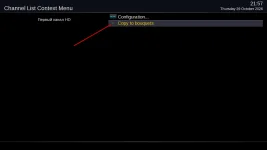
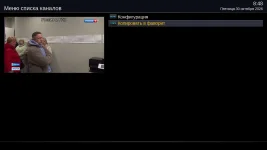
I did it this way for myself, but I'll need to see where the “copy” button will appear maybe the text will be incorrect
 

Attachments

  • 0404.webp
    0404.webp
    25.1 KB · Views: 14
Depending the resolution:

XML:
        <widget source="session.CurrentService" render="Pixmap" pixmap="audioicon/icon_4k.png" position="948,167" size="60,44" alphatest="blend" zPosition="1">
            <convert type="ServiceInfo">Is4K</convert>
            <convert type="ConditionalShowHide" />
        </widget>
        <widget source="session.CurrentService" render="Pixmap" pixmap="audioicon/icon_fhd.png" position="948,167" size="60,44" alphatest="blend" zPosition="1">
            <convert type="ServiceInfo">Is1080</convert>
            <convert type="ConditionalShowHide" />
        </widget>
        <widget source="session.CurrentService" render="Pixmap" pixmap="audioicon/icon_hd.png" position="948,167" size="60,44" alphatest="blend" zPosition="1">
            <convert type="ServiceInfo">Is720</convert>
            <convert type="ConditionalShowHide" />
        </widget>
        <widget source="session.CurrentService" render="Pixmap" pixmap="audioicon/icon_sd.png" position="948,167" size="60,44" alphatest="blend" zPosition="1">
            <convert type="ServiceInfo">Is576</convert>
            <convert type="ConditionalShowHide" />
        </widget>
        <widget source="session.CurrentService" render="Pixmap" pixmap="audioicon/icon_sd.png" position="948,167" size="60,44" alphatest="blend" zPosition="1">
            <convert type="ServiceInfo">Is480</convert>
            <convert type="ConditionalShowHide" />
        </widget>
@Orlandox, Please provide a link where I can download this file. I would really appreciate it
 
Yes all fixed. So you either need to retrieve the fixes and load them yourself or wait for the next release build.

Useful info, but is it sensible to have an image 6.9.003 available for download on the server with known issues, why not replace the image with the fixed one or hurry through 6.9.004.

By the way where are the fixes to 6.9.003.................?
 
Install YouViX-Blue-mod skin from the feeds.
No skin I'm not going to change I want to stay with Simple_Ten_Eighty (I made way too many changes to the icons on this skin) ... Does the Full HD icon really only show up on the YouViX-Blue-mod skin? I think if the icon displays that way, it should show up on all skins, not just one
 
No skin I'm not going to change I want to stay with Simple_Ten_Eighty (I made way too many changes to the icons on this skin) ... Does the Full HD icon really only show up on the YouViX-Blue-mod skin? I think if the icon displays that way, it should show up on all skins, not just one
I think you could edit this line https://github.com/OpenViX/skins/bl...080/Simple_Ten_Eighty/skin_templates.xml#L269


For specific skins it might be better posting in there relevant threads https://world-of-satellite.com/threads/new-skin-simple-ten-eighty.58930/
 
Last edited:

OpenViX Feeds Status

Back
Top