Superb quality and spec AB-Com PULSe 4K SE. Crazy offer! Only £99! FREE UK DELIVERY! 4K UHD, Enigma 2, Multiboot 4 images & more!...
Superb quality and spec AB-Com PULSe 4K Rev II Twin Satellite tuner only £149! FREE UK DELIVERY! 4K UHD, Enigma 2, SATA HDD facility, Multiboot 4 images & more!...

OpenVix Blue-HD

  • Thread starter Thread starter rossi2000
  • Start date Start date
Status
Not open for further replies.
yes im getting the same on both skins, thats a image problem not skin.
 
It's defiantly the IMAGE as I said before Helios v001, I am using and have no problems every things a 100% and I tried all the update images and Helios v001 (only), This is the best out there.
 
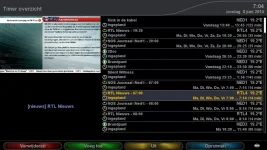
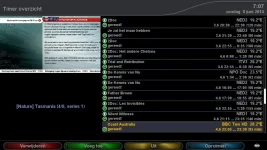
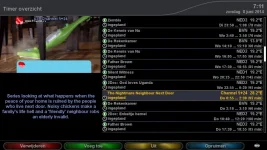
only thing i can think of is that the listbox is not wide enough in which case yes its a skin issue. there are no parameters to adjust for those things in that screen, lik

so theres a prob with the image as its not functioning correctly when making the listbox less wide :)
 
I have installed Apollo 003, and removed the Blue HD skin from usr/share/enigma2 as instructed, so that I could download from the feeds to avail of the auto updates. However once I have installed, I cannot seem to see the skin in the download section?

I've tried restarting the box, and restarting enigma but still no luck.

Is there any other files that need removed via ftp?

Any help appreciated.

Thanks
 
Go into plugins and press red button - should remove from there.

You should doing the above have a skin item.in the three?

If you do go.into setup> system> user interface> skin setup to change to it.

Sent from my SM-N9005 using Tapatalk
 
Ahh never thought of the remove plugin button - just assumed by deleting through filezilla that all traces would be gone.

Seems to be working now. Thanks Stanman
 
so theres a prob with the image as its not functioning correctly when making the listbox less wide :)
I don't think so. As you can see in my screenies the lay-out is fine.
And obviously when the OSD-screen is too small, not all text will fit in. Why don't you make a wider screen if so much text should be displayed?
 
i did a fresh install on a new box. the play/pause is on TOP left. vu+ solo2 new box. installed blue hd from feeds.
 
i updated the version to v3.0-r2 on the feeds so hopefully the skin will be rebuilt.
im not sure if thats the problem or not but ive initiated it anyway.
 
i updated the version to v3.0-r2 on the feeds so hopefully the skin will be rebuilt.
im not sure if thats the problem or not but ive initiated it anyway.

Removed (uninstalled) switched to a different skin. restarted from cold. and installed blue hd from feeds. restarted cold again, switched to Blue HD skin... STILL play pause logo showing on TOP left. Vu+ solo2

Could you make it available so that I can drag and drop it via FTP as from feed is not installing the latest version.

I have tried DELETING the Blue HD folder from usr share enigma2 instead of uninstall and the same occurs.
Is there any other directory that needs to be deleted for a fresh Blue HD install again??

UPDATE
I FTP'd the build on page 28 rather than installing from feeds and THAT has fixed the issue. I now have play/pause on BOTTOM right.

for all those having problems with the version on the feed not being the latest, FTP the folder on page 28 on this forum.

Could you please take a look at what is wrong with the Feed please rossi as FTP'ing it across means I can't update automatically in future

ALSO to fix please:
When you play/pause live TV the play pause logo is at the BOTTOM left.
When you play existing recordings, the play pause logo is at the TOP left.
 
Last edited by a moderator:
I can confirm that when using time shift the icon is on the bottom left
When watching/skipping thru a recording its top left
The above is using the plugin thru the feeds

Removed (uninstalled) switched to a different skin. restarted from cold. and installed blue hd from feeds. restarted cold again, switched to Blue HD skin... STILL play pause logo showing on TOP left. Vu+ solo2

Could you make it available so that I can drag and drop it via FTP as from feed is not installing the latest version.

I have tried DELETING the Blue HD folder from usr share enigma2 instead of uninstall and the same occurs.
Is there any other directory that needs to be deleted for a fresh Blue HD install again??

UPDATE
I FTP'd the build on page 28 rather than installing from feeds and THAT has fixed the issue. I now have play/pause on BOTTOM right.

for all those having problems with the version on the feed not being the latest, FTP the folder on page 28 on this forum.

Could you please take a look at what is wrong with the Feed please rossi as FTP'ing it across means I can't update automatically in future

ALSO to fix please:
When you play/pause live TV the play pause logo is at the BOTTOM left.
When you play existing recordings, the play pause logo is at the TOP left.
 
Removed (uninstalled) switched to a different skin. restarted from cold. and installed blue hd from feeds. restarted cold again, switched to Blue HD skin... STILL play pause logo showing on TOP left. Vu+ solo2

Could you make it available so that I can drag and drop it via FTP as from feed is not installing the latest version.

I have tried DELETING the Blue HD folder from usr share enigma2 instead of uninstall and the same occurs.
Is there any other directory that needs to be deleted for a fresh Blue HD install again??

UPDATE
I FTP'd the build on page 28 rather than installing from feeds and THAT has fixed the issue. I now have play/pause on BOTTOM right.

for all those having problems with the version on the feed not being the latest, FTP the folder on page 28 on this forum.

Could you please take a look at what is wrong with the Feed please rossi as FTP'ing it across means I can't update automatically in future

ALSO to fix please:
When you play/pause live TV the play pause logo is at the BOTTOM left.
When you play existing recordings, the play pause logo is at the TOP left.

ahh, playing existing recordings! thats the prob, not timeshift..
i'll fix now i have the problem detailed :)
 
there is nothing wrong with the feed, now i know that its actually the movieplayer bar thats got the wrong location and not timeshift.
ive just fixed the problem, will update with the next image build.
 
ahh, playing existing recordings! thats the prob, not timeshift..
i'll fix now i have the problem detailed :)

there is nothing wrong with the feed, now i know that its actually the movieplayer bar thats got the wrong location and not timeshift.
ive just fixed the problem, will update with the next image build.

You are incorrect.

Please read it all again.

When installing from feeds, the timeshift AND movieplayer of recordings the play/pause logo is on BOTTOM left, I repeat for BOTH. When I FTP the BlueHD skin folder over INSTEAD of installing from feeds,for timeshift the play/pause logo is in BOTTOM left yet for movieplayer for recordings it is TOP left

Also

To be honest it looks better with it at the TOP left as the programme details pop up when you press pause. the programme details and the logo along bottom is just too much going on along the bottom. It looks better with the logo top left and programme info at bottom
 
Last edited by a moderator:
on sly its in the bottom left.

only install from the feeds, transfering folders across wont affect the feeds, on a system update it will get fully overwritten with the latest one :)
i only put on the folders here for folks who dont want to wait.
 
build 006 image has fixed the location of the fast forward / rewind
The skins perfect for me, i wont be updating the build for a while now
 
Status
Not open for further replies.

OpenViX Feeds Status

Back
Top