R
rossi2000
Guest
yes im getting the same on both skins, thats a image problem not skin.


Nope, it's a skin issue. Look at my screenie, also taken from Apollo 3:yes im getting the same on both skins, thats a image problem not skin.
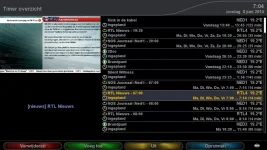
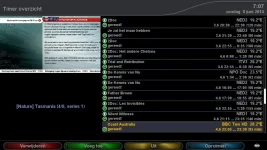
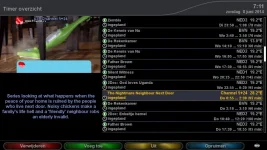
not sure what could be causing that issue with the icons, its definatley not box specific.


I don't think so. As you can see in my screenies the lay-out is fine.so theres a prob with the image as its not functioning correctly when making the listbox less wide
i updated the version to v3.0-r2 on the feeds so hopefully the skin will be rebuilt.
im not sure if thats the problem or not but ive initiated it anyway.
Removed (uninstalled) switched to a different skin. restarted from cold. and installed blue hd from feeds. restarted cold again, switched to Blue HD skin... STILL play pause logo showing on TOP left. Vu+ solo2
Could you make it available so that I can drag and drop it via FTP as from feed is not installing the latest version.
I have tried DELETING the Blue HD folder from usr share enigma2 instead of uninstall and the same occurs.
Is there any other directory that needs to be deleted for a fresh Blue HD install again??
UPDATE
I FTP'd the build on page 28 rather than installing from feeds and THAT has fixed the issue. I now have play/pause on BOTTOM right.
for all those having problems with the version on the feed not being the latest, FTP the folder on page 28 on this forum.
Could you please take a look at what is wrong with the Feed please rossi as FTP'ing it across means I can't update automatically in future
ALSO to fix please:
When you play/pause live TV the play pause logo is at the BOTTOM left.
When you play existing recordings, the play pause logo is at the TOP left.
Removed (uninstalled) switched to a different skin. restarted from cold. and installed blue hd from feeds. restarted cold again, switched to Blue HD skin... STILL play pause logo showing on TOP left. Vu+ solo2
Could you make it available so that I can drag and drop it via FTP as from feed is not installing the latest version.
I have tried DELETING the Blue HD folder from usr share enigma2 instead of uninstall and the same occurs.
Is there any other directory that needs to be deleted for a fresh Blue HD install again??
UPDATE
I FTP'd the build on page 28 rather than installing from feeds and THAT has fixed the issue. I now have play/pause on BOTTOM right.
for all those having problems with the version on the feed not being the latest, FTP the folder on page 28 on this forum.
Could you please take a look at what is wrong with the Feed please rossi as FTP'ing it across means I can't update automatically in future
ALSO to fix please:
When you play/pause live TV the play pause logo is at the BOTTOM left.
When you play existing recordings, the play pause logo is at the TOP left.
ahh, playing existing recordings! thats the prob, not timeshift..
i'll fix now i have the problem detailed
there is nothing wrong with the feed, now i know that its actually the movieplayer bar thats got the wrong location and not timeshift.
ive just fixed the problem, will update with the next image build.
