Superb quality and spec AB-Com PULSe 4K SE. Crazy offer! Only £129! FREE UK DELIVERY! 4K UHD, Enigma 2, Multiboot 4 images & more!...
Superb quality and spec AB-Com PULSe 4K Rev II Twin Satellite tuner only £179! FREE UK DELIVERY! 4K UHD, Enigma 2, SATA HDD facility, Multiboot 4 images & more!...

OpenViX 6.9 Release discussion thread

Upgraded from 6.9.002 to 6.9.003 via image manager, restored settings/plugins.

All good for the most part, bouquets osd doesn't seem quite where it normally is on screen - to far to the left, rolled back to 6.9.002 and all good there.

OSD adjustment also doesn't appear to be working aswell.

Happy to take screenshot if it helps.

Tested on VU+ Duo 4K SE.
It’s the same problem I had with my Zgemma H17 after updating the image version from 6.9.002 to 6.9.003 and restoring my settings and plugins. I even tried without restoring anything—setting everything up from scratch—but had no luck.

The bouquet OSD doesn't seem to be positioned correctly on the screen.

The OSD adjustment function doesn't seem to be working either.
 
skin.xml: If you change it to this, then you see the name of the next event (without the word 'Next:'):

XML:
        <widget source="session.Event_Next" render="Label" position="975,162" size="915,36" backgroundColor="secondBG" transparent="1" zPosition="1" foregroundColor="secondFG" noWrap="1" font="Regular;33" halign="left">
            <convert type="EventName">Name</convert>
        </widget>
Can you clarify location of skin.xml you are talking about as i edited the skin.xml in simple ten eighty as that is what i am using and it made no difference.
 
Can you clarify location of skin.xml you are talking about as i edited the skin.xml in simple ten eighty as that is what i am using and it made no difference.
Did you restart the GUI? Did you made the change to both SecondInfobar and SecondinfobarSimple ?
 
Did you restart the GUI? Did you made the change to both SecondInfobar and SecondinfobarSimple ?
yes i started gui and full reboot. No just in usr/share/enigma/simple ten eighty/skin.xml
Edit: sorted now thanks
 
Last edited:
Hello. FYI I flashed 6.9.003 and like lory94 above, found I cannot adjust OSD.
I also encountered problems getting epg to be as I desired, but that could be my fault.
 
Last edited:
info : after flash I had to recheck several epg sourses that seemed not to be restored.
 
It’s the same problem I had with my Zgemma H17 after updating the image version from 6.9.002 to 6.9.003 and restoring my settings and plugins. I even tried without restoring anything—setting everything up from scratch—but had no luck.

The bouquet OSD doesn't seem to be positioned correctly on the screen.

The OSD adjustment function doesn't seem to be working either.
I had exactly these problems on both my boxes but cured them by selecting "full pixel" on tv screen format.

Also experienced no sound on some channels but cured that by changing "passthrough" to "downmix".
 
6.9.003 was a massive update so please be patient. We will release an update in a few days to address these minor bugs.

Hi Huevos, please can you post when this has been done....................Thanks
 
Yes all fixed. So you either need to retrieve the fixes and load them yourself or wait for the next release build.
 
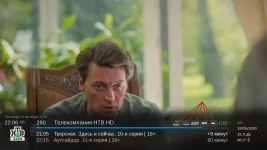
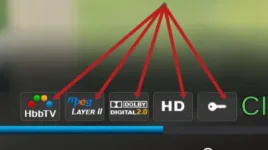
@Huevos , I’d like to ask, while the OpenVIX image is being updated would you consider changing the background of the infobar icons? For example, here’s how I’ve set it up for myself. I’m referring specifically to the icon background the current white color is very striking and distracting from the program you’re watching. But that’s up to you see what you think works best
 

Attachments

  • 02.webp
    02.webp
    53.9 KB · Views: 19
  • 03.webp
    03.webp
    8.2 KB · Views: 18
I’m not talking about the icons themselves I’m only referring to the background changing it from white to the one I have...I mean changing the white background to the one I have on my icons. Here is an example for you this is a screenshot of what I mean...And all the logos when you see, I create personally by myself
 

Attachments

  • Background.zip
    Background.zip
    3 KB · Views: 2
  • Background.webp
    Background.webp
    708 bytes · Views: 9
Last edited:

OpenViX Feeds Status

Back
Top