I admit I scanned through this thread so forgive me if this has been mentioned but I noticed from previous screenshots you were using 192.168.0.x / 24 subnet and also I noticed 192.168.1.x IP also being referred to. These are two different subnets you're referring to which for a typical home networking setup isn't normal.
Do you have any other network equipment that would change the subnet from 192.168.0.x to 192.168.1.x ?
Hi bbbuk,
Thanks for your insightful response.
I'm in a bit over my (networking) head here but I'll try to answer as best I can.
My home setup is that I have a small business fibre broadband package in my home supplied by Virgin Media (Ireland) as I have a home office.
I have a note from when it was set up several years ago that the Virgin modem is used as a bridge to my ASUS RT-N66U Router and I have 5 static IP addresses supplied by Virgin one of which is used by the ASUS WAN internet connection setting.
Could this explain the unusual setup and dual subnets?
I would say go back to basics and directly connect ethernet cable from router directly into back of box and re-run network setup and please don't try messing with DNS entries (defaults are more than fine).
The HD2400 is connected directly to the ASUS Router, should it be connected to the Virgin modem instead?
The IP of your router whether that be 192.168.0.x or 192.168.1.x should match what your box has except the last octet (eg .x in my example). So if your router is on 192.168.0.1 then your box, when connected directly to it, should pickup an IP in the range 192.168.0.2 to 192.168.0.254
Router IP address is 192.168.1.1, HD2400 IP address is 192.168.1.131 so that is correct?
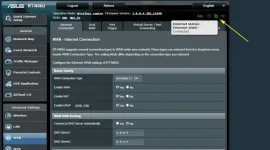
Here are what I think are the relevant screenshots from the router LAN setup:-
Should the DNS be set here to 8.8.8.8? What about the WINS Server?
Would turning on "Port Triggering" in the WAN settings, which is supposed to temporarily open a port for the LAN seeking internet access, be a useful thing to do?